FlutterGo vs Bolt: How to Build Native Mobile Apps Fast
Compare FlutterGo and Bolt.new for mobile app development. Discover why AI mobile creators are switching to FlutterGo for native iOS and Android deployment.
⚡ Featured Snippet Direct Answer: How to Choose Between FlutterGo and Bolt.new While Bolt.new excels at spinning up rapid web applications and full-stack Node prototypes inside browser sandboxes, it leaves mobile developers stranded at the export stage without native binaries. FlutterGo is built specifically to bridge this native mobile gap by generating clean, production-ready Dart and Flutter code, managing state with Riverpod, and providing automated compilation pipelines that push signed builds directly to TestFlight and Google Play.
1. Introduction and The Mobile App Gap
The software industry witnessed a massive shift when rapid AI prototyping tools allowed creators to turn plain text prompts into live web applications within minutes. Yet, a severe reality check awaits anyone trying to build a smartphone application using web-first sandbox tools.
Browser environments run inside Google Chrome using WebContainers. They cannot execute the native compilation chains required for mobile devices, such as Xcode, the Android SDK, Gradle, or CocoaPods. Developers end up with responsive web pages or Progressive Web Apps wrapped inside a mobile frame, rather than true native binaries capable of accessing device hardware seamlessly. Flutter Go solves this last-mile problem by taking prompts straight to native iOS and Android codebases.
2. Architecture Comparison: Web Containers Versus Native Codebases
2.1 How Bolt.new Operates
Bolt.new utilizes browser-based WebContainers to execute Node.js directly inside client browsers. This architecture is exceptional for web dashboards, React frontends, and browser-first administrative tools. However, it cannot compile or sign mobile packages.
2.2 How Flutter Go Operates
Flutter Go runs an agent-first engine designed explicitly around Google's Flutter framework. It outputs structured Dart code organized around Material 3 design tokens, Riverpod state management, and go_router navigation.
3. Step-by-Step Comparison of the Build Workflow
3.1 Prompting and Real-Time Preview
Both platforms offer instant visual feedback when entering text prompts. Bolt.new renders browser DOM elements instantly, while Flutter Go Studio executes hot-reloading Dart execution inside a live mobile preview container.
3.2 Code Quality and Maintainability
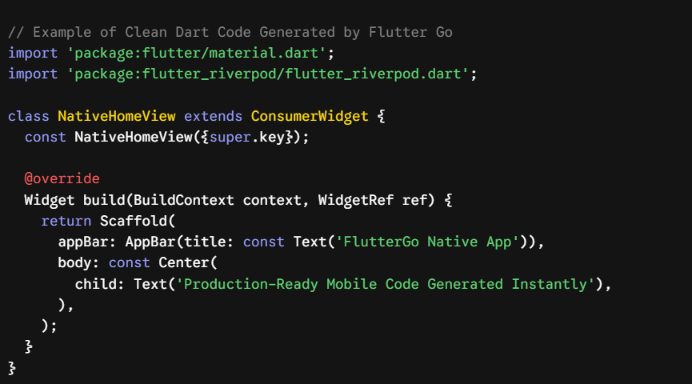
A major concern with AI tools is getting messy, unmaintainable code. Bolt.new outputs JavaScript or TypeScript components. Flutter Go generates clean, typed Dart code that professional engineers can easily review, extend, or maintain.
Dart
4. Solving the Last Mile Problem: App Store Deployment
The hardest part of mobile development is not writing the initial UI; it is navigating app store publishing requirements.
When exporting mobile code from a web-centric builder, developers face a frustrating local setup involving macOS computers, Xcode configurations, provisioning profiles, Apple Developer certificates, and custom Gradle files. Approximately 80 percent of non-technical builders drop out during this phase due to compilation errors.
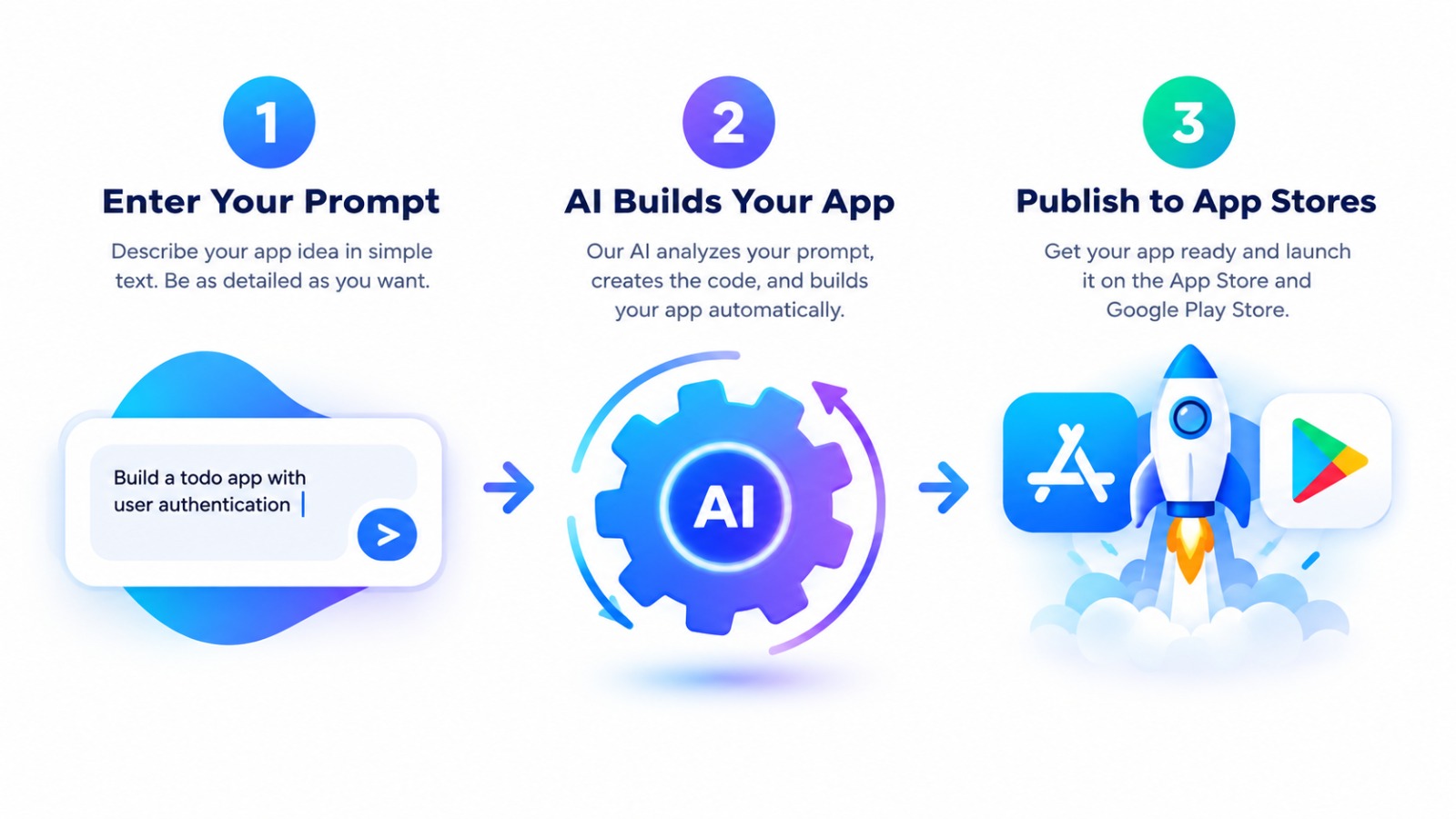
Flutter Go eliminates this friction by integrating directly with App Store Connect and Google Play Console APIs. It stores keys ephemerally to build and submit signed binaries automatically, taking you from prompt to TestFlight without local environment headaches.
5. Developer Ownership and Local Workflows
Vendor lock-in remains a major concern when adopting new platforms.
5.1 Bi-Directional GitHub Synchronization
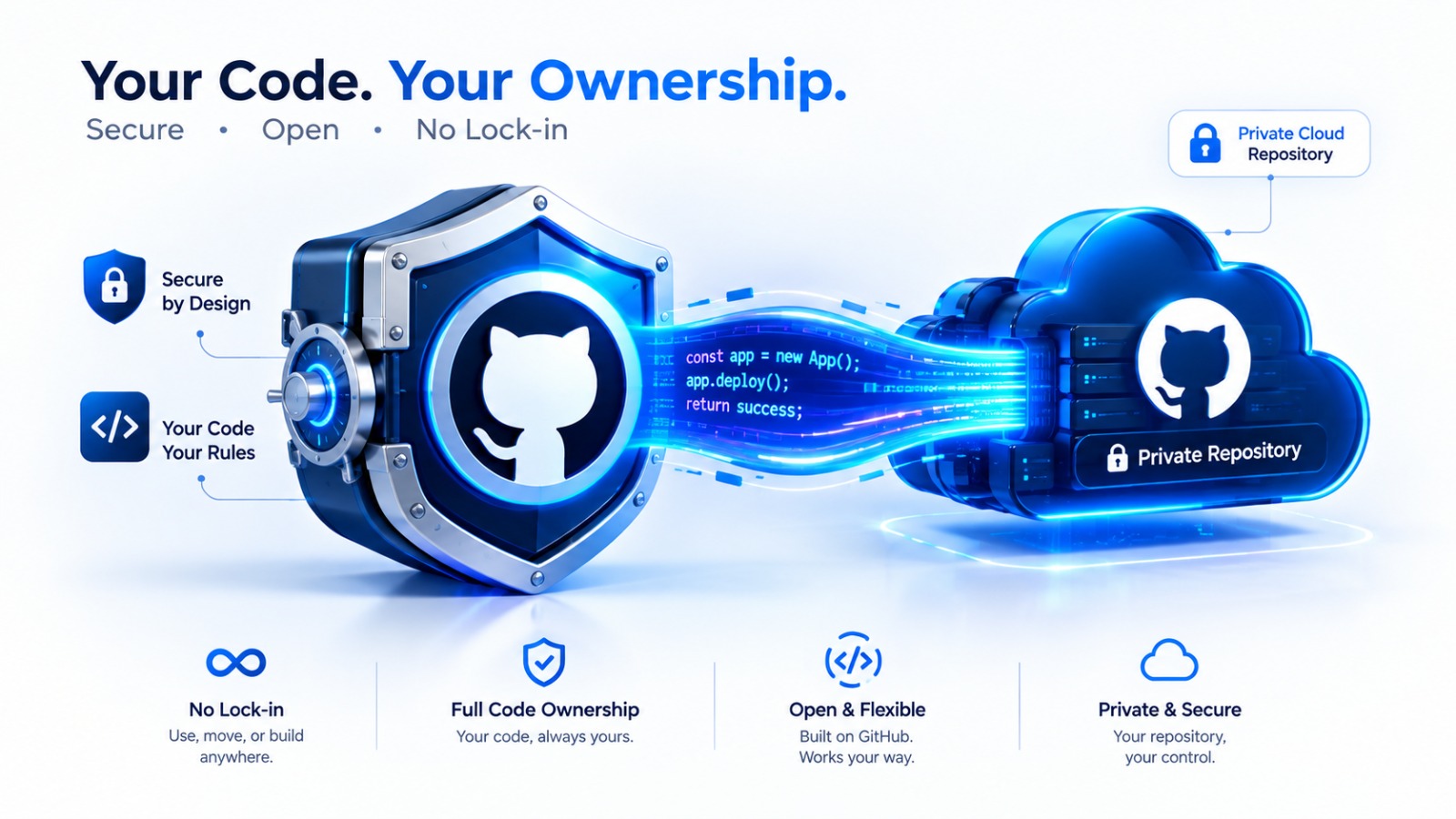
Through native GitHub Sync Integration commits code directly into your private GitHub repository in real time. If you decide to cancel your subscription, your repository remains fully yours with zero restrictions.
5.2 Local Mode for Power Developers
Senior engineers can pull their project repository down and work locally alongside development environments like Cursor, VS Code, or Claude Code using personal API keys while utilizing cloud build pipelines for fast deployment.
6. Use Case Guide: Which Tool Should You Choose?
Choose Bolt .new if:
- You are building a SaaS web dashboard, internal browser portal, or desktop-first application.
- You need rapid full-stack Node.js prototyping inside a browser sandbox.
Choose Flutter Go if:
- You need a mobile app published directly on the Apple App Store or Google Play Store.
- You want to utilize native device hardware such as cameras, biometrics, and offline storage.
- You want a single codebase that targets both iOS and Android natively.
- You can check the detailed tier options on the Flutter Go Pricing Page to select the best fit for your team.
7. Frequently Asked Questions (FAQ)
7.1 Can I import an existing Flutter repository into Flutter Go?
Yes. You can import existing repositories via ZIP or GitHub integration to iterate on your codebase alongside autonomous AI agents.
7.2 Does Flutter Go require a local Mac to build iOS apps?
No. Flutter Go manages cloud-based compilation pipelines that generate signed .ipa files without requiring you to own local macOS hardware or configure Xcode locally.
7.3 Is the generated code locked into proprietary servers?
No. The output consists of pure, standard Dart and Flutter code that you can host, build, and distribute independently forever.
8. Conclusion: Build Where You Intend to Ship
Stop wasting weeks attempting to convert web prototypes into native mobile binaries. Choose the platform built from the ground up for mobile architecture. Visit Flutter Go today to launch your first native build with zero credit card required.