How FlutterGo Edit Mode Helps You Customize Your App Visually
Discover how FlutterGo Edit Mode enables visual app customization, allowing you-code and no-code creators to tweak UI components, layouts, and styles seamlessly.
⚡ Featured Snippet Direct Answer: Visual Customization in FlutterGo Flutter Go provides an intuitive Edit Mode that empowers creators to visually customize mobile applications, adjust Material 3 design tokens, modify layout structures in real-time, and sync modifications directly back to clean Dart code repositories via GitHub Sync Integration.
1. Bridging Natural Language Prompts and Visual Control
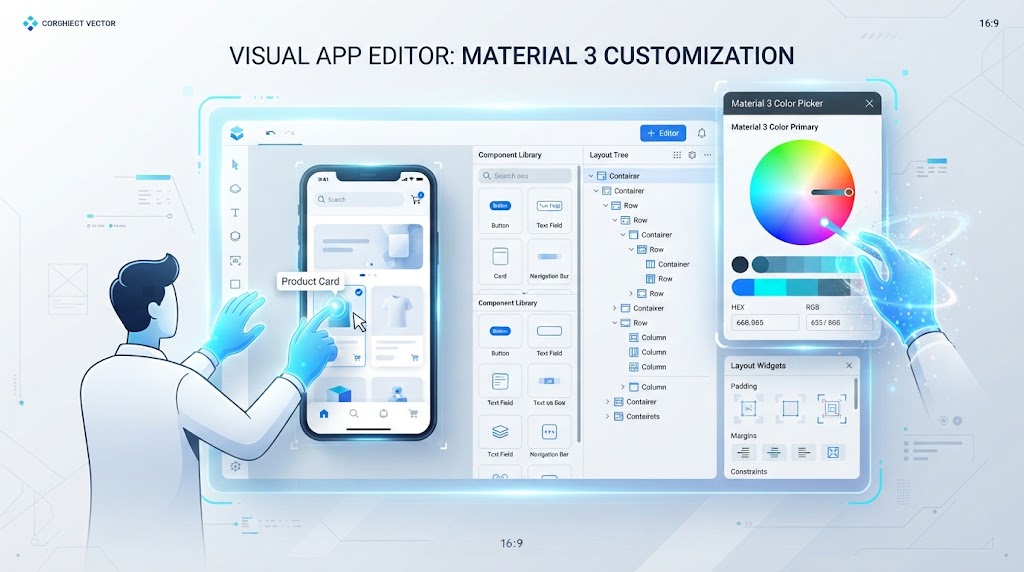
While natural language prompts and autonomous agents effortlessly build foundational mobile architectures, creators frequently require precise visual fine-tuning for padding, color palettes, and component layouts.
- FlutterGo Edit Mode bridges the gap between text-to-app generation and hands-on design control.
- Creators can click directly on preview elements to inspect properties and apply visual modifications instantly.
2. Real-Time UI Customization and Material 3 Design
Visual editing inside the platform is tied directly to clean, typed code architecture rather than proprietary blobs.
2.1 Direct Component and Token Tweaking
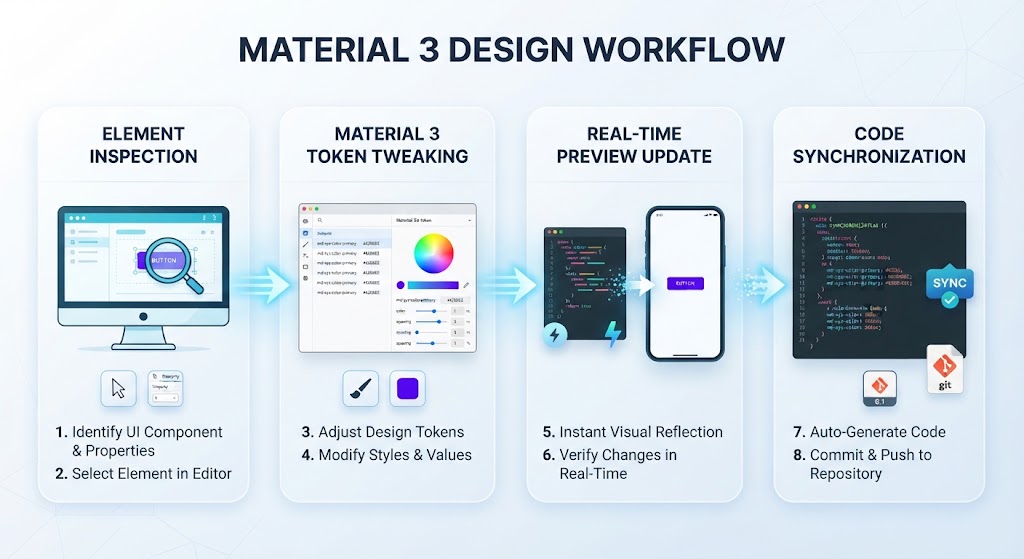
Creators can adjust Material 3 color schemes, typography hierarchies, and component spacing using visual pickers while the underlying Dart code updates automatically.
2.2 Preserving Clean Architecture States
Unlike traditional design tools that output messy or unmaintainable code, Edit Mode translates visual tweaks directly into structured Riverpod and widget configurations.
Editing Approach | Traditional Design-to-Code Tools | FlutterGo Edit Mode |
|---|---|---|
Code Quality | Generates bloated, unreadable output | Maintains clean, typed Dart & Riverpod structure |
Workflow Speed | Manual handoff between designers and coders | Instant visual tweaks reflected in live code |
Version Control | Isolated design files detached from repository | Bi-directional sync via GitHub Sync Integration |
3. Seamless Syncing with Local Developer Workflows
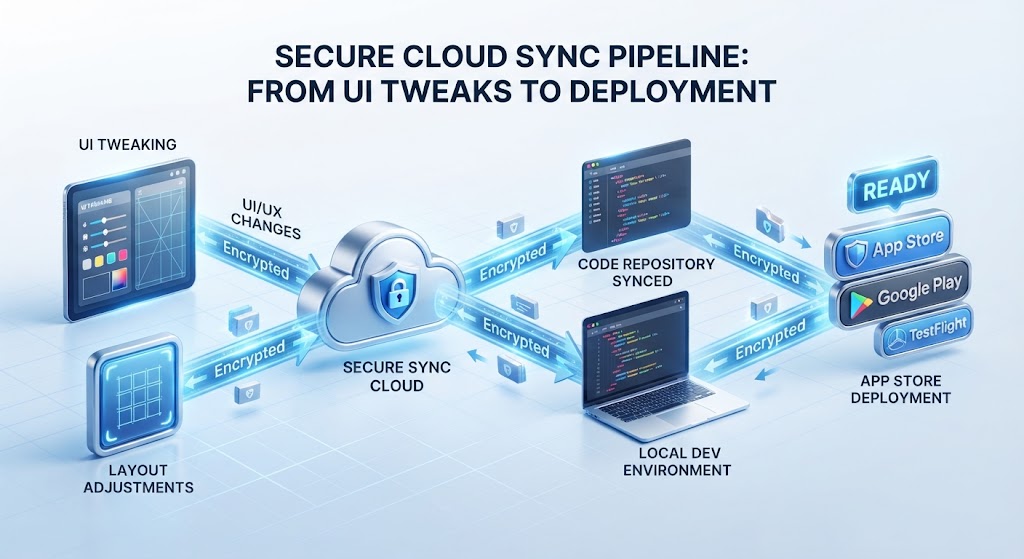
Visual adjustments made inside Edit Mode do not remain trapped in a cloud silo.
- Every layout change or style update synchronizes bidirectionally with your version control system.
- Engineers working locally in environments like Cursor or VS Code receive the updated widget tree instantly through GitHub Sync Integration.
4. Conclusion: Perfecting Your App Visually
By combining intuitive visual controls with clean code generation and repository synchronization, FlutterGo Edit Mode gives creators the best of both worlds. Explore the Flutter Go Pricing Page to select the right tier for your workflow, or Visit Flutter Go today to start visually customizing your next mobile application.