How FlutterGo Turns a Simple Prompt into a Working Flutter Application
Discover how FlutterGo's autonomous AI engine takes a simple text prompt and transforms it into a production-ready, native Flutter mobile app.
⚡ Featured Snippet Direct Answer: How FlutterGo Works Flutter Go operates through an autonomous AI engine that breaks down natural language prompts into structured requirements, generates typed Dart and Flutter code using Riverpod state management, and compiles the project into signed native binaries for automated distribution.
1. Phase 1: Natural Language Processing and Requirements Analysis
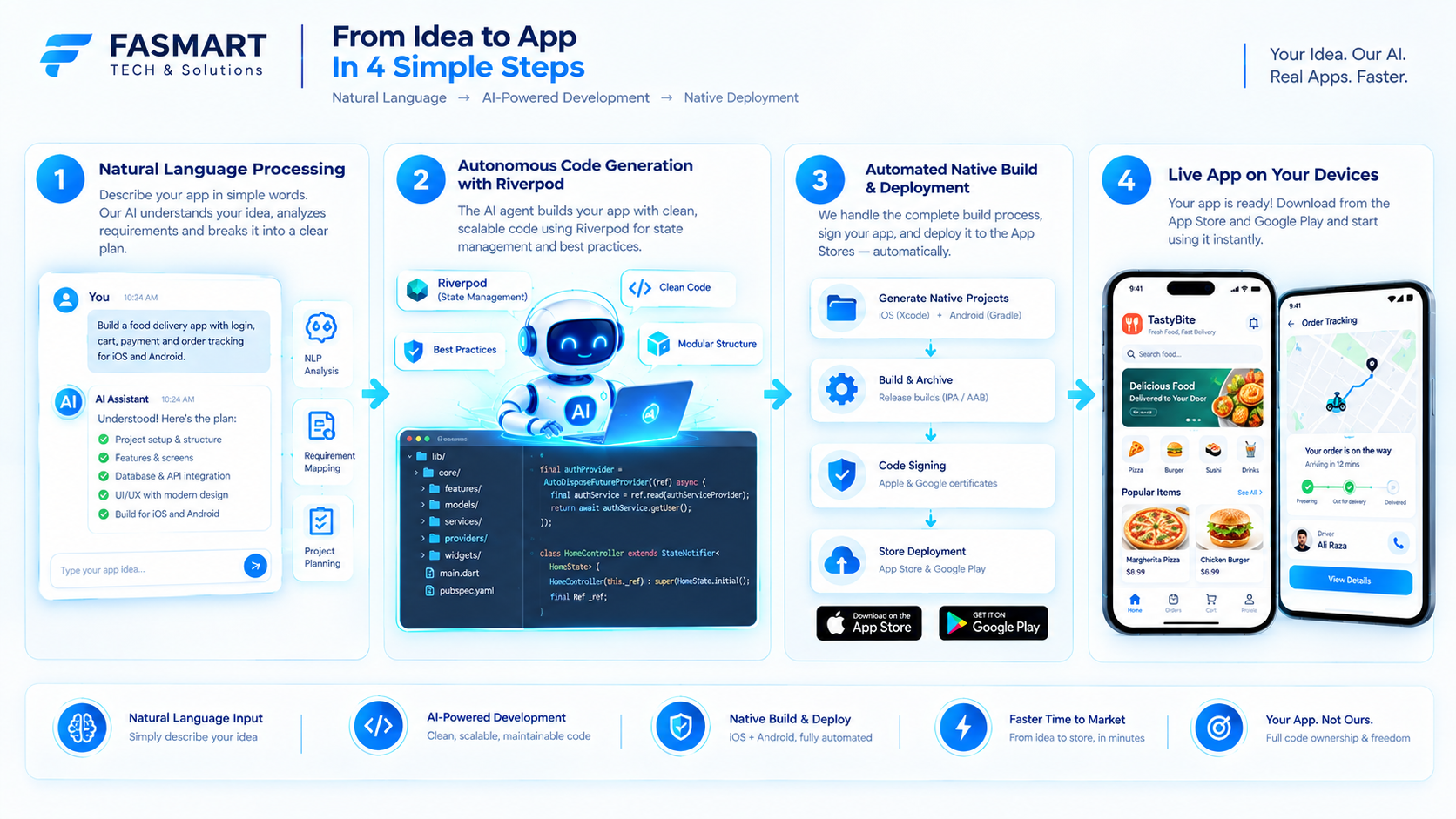
The workflow begins the moment a user inputs a product idea or feature description into the platform.
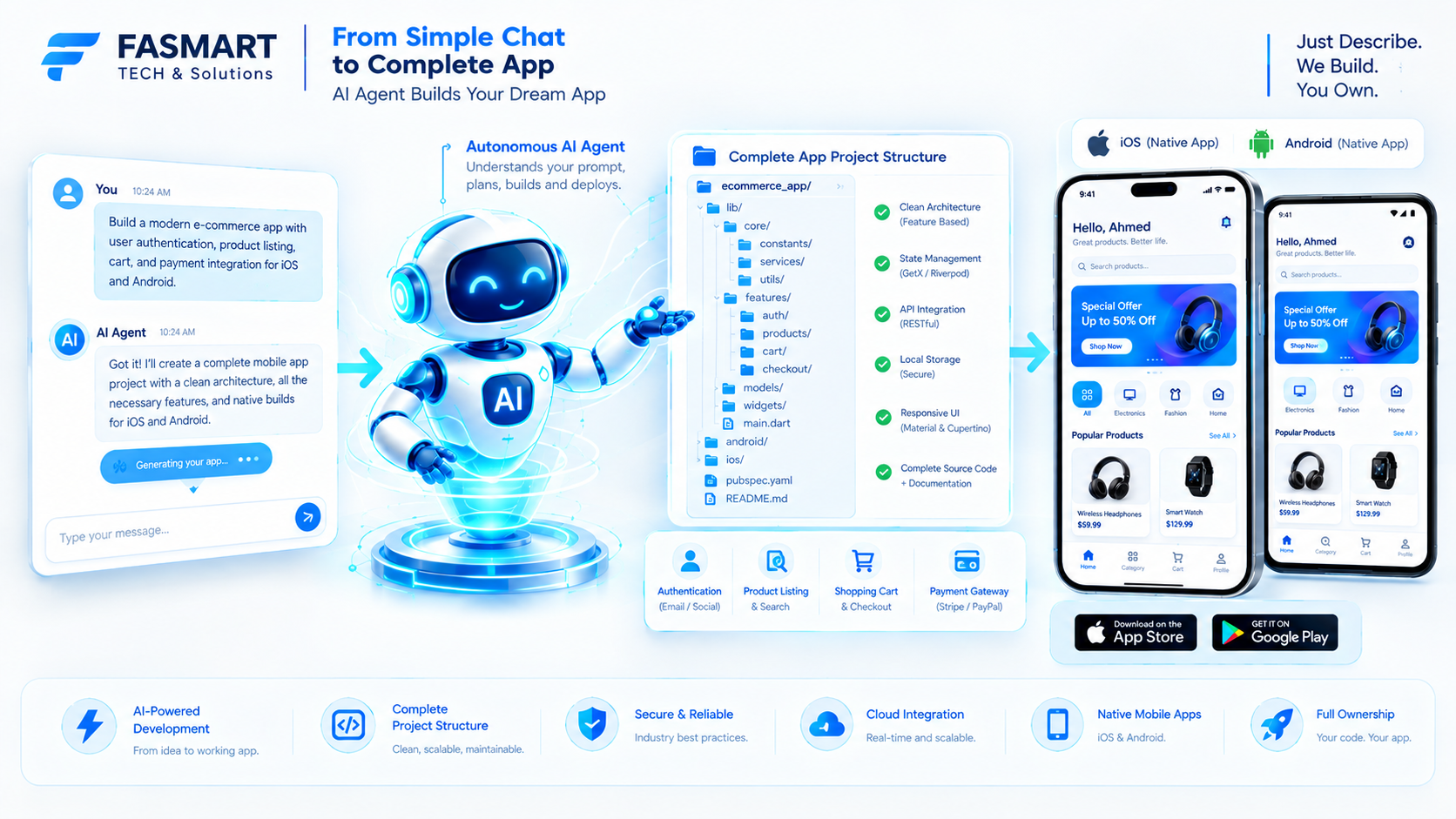
Instead of treating the text as a single-turn instruction, the autonomous agent analyzes the core functional requirements, user flows, database models, and UI components needed for a smartphone application. It maps out the architectural blueprint before writing any code, ensuring that the resulting structure follows mobile best practices rather than web-centric layouts.
2. Phase 2: Autonomous Code Generation and Project Structuring
Once the analysis is complete, the AI engine constructs a complete, production-grade directory tree.
2.1 Structured Dart and Material 3 Codebases
The system generates clean, typed Dart code organized around Material 3 design tokens and Riverpod state management patterns. Every file, from routing configurations to individual widget components, is written systematically to ensure high maintainability.
2.2 Self-Healing Error Loops
If a dependency conflict or lint error arises during code generation, autonomous agents inspect the stack trace, correct the logic, and verify integrity without requiring manual developer intervention.
Workflow Stage | Human-Led Traditional Process | FlutterGo Autonomous Workflow |
|---|---|---|
Initial Setup | Days configuring boilerplate & SDKs | Instant project initialization from prompt |
UI & State Design | Manual widget layout & provider setup | Automated Material 3 & Riverpod generation |
Error Debugging | Hours tracing local compilation bugs | Autonomous self-healing code correction |
Code Ownership | Local workspace lock-in | Bi-directional GitHub Sync Integration |
3. Phase 3: Real-Time Preview and Local Iteration
Developers do not have to wait blindly for compilation to finish.
Inside the live preview interface, the code runs with hot-reloading execution, letting creators test UI responsiveness and state changes instantly. Furthermore, teams wishing to use local tools can pull their repositories down to work within environments like Cursor or VS Code while maintaining continuous cloud pipeline support.
4. Phase 4: Automated Compilation and App Store Deployment
The final step bridges the hardest gap in mobile development: app store publishing.
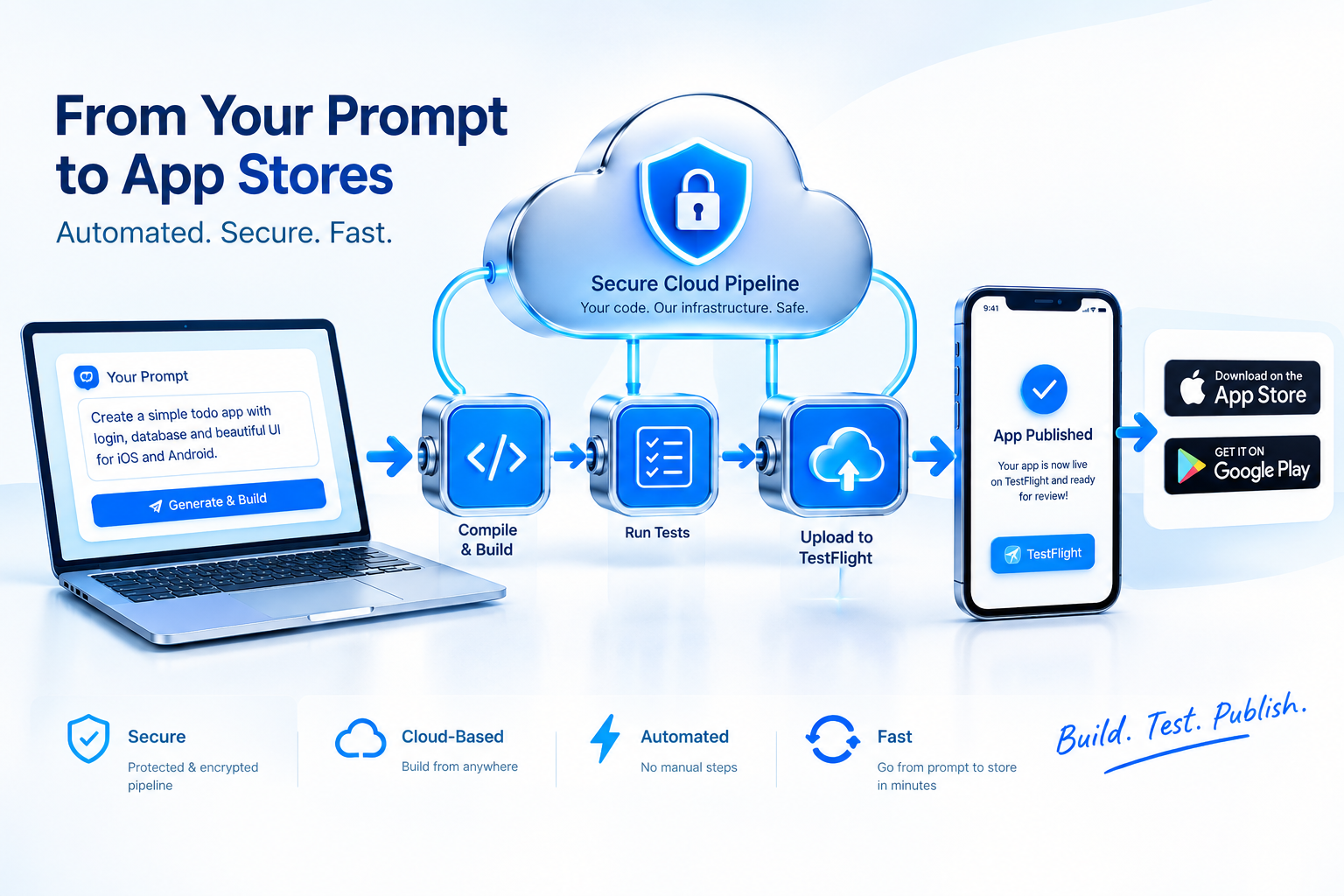
Rather than requiring manual setup with Xcode, provisioning profiles, or Gradle files, Flutter Go connects directly with App Store Connect and Google Play Console APIs to build and submit signed binaries automatically.
[H2] 5. Conclusion: From Idea to Reality in Minutes
By automating requirements parsing, clean code generation, and cloud-based compilation, FlutterGo transforms how mobile applications are built. Check out the Flutter Go Pricing Page to find the ideal plan for your upcoming projects, or Visit Flutter Go today to turn your first prompt into a live app.