Inside FlutterGo: From App Idea and Planning to Code and Live Preview
Explore the system stages inside FlutterGo, from natural language app planning and autonomous code generation to real-time live preview and deployment.
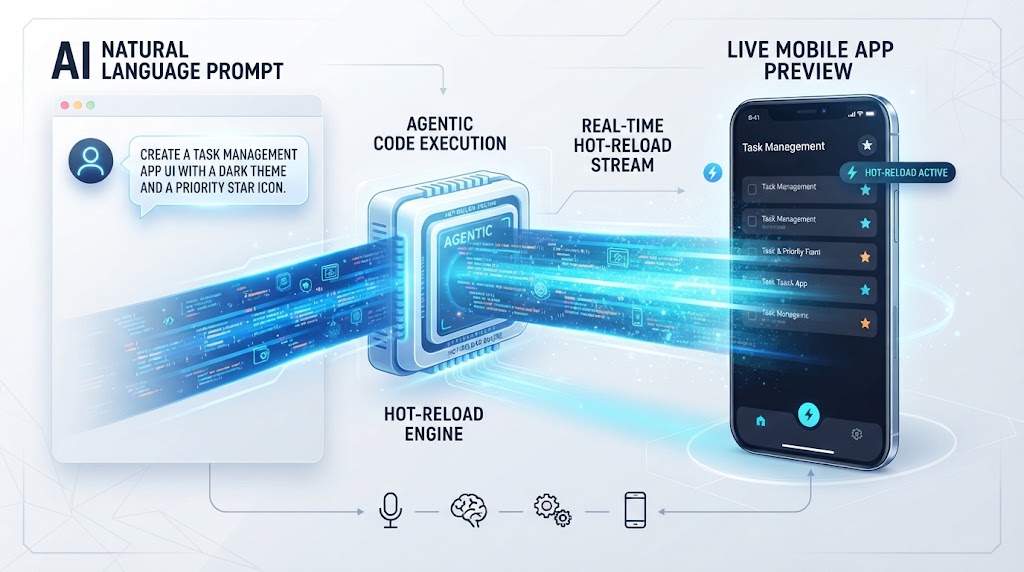
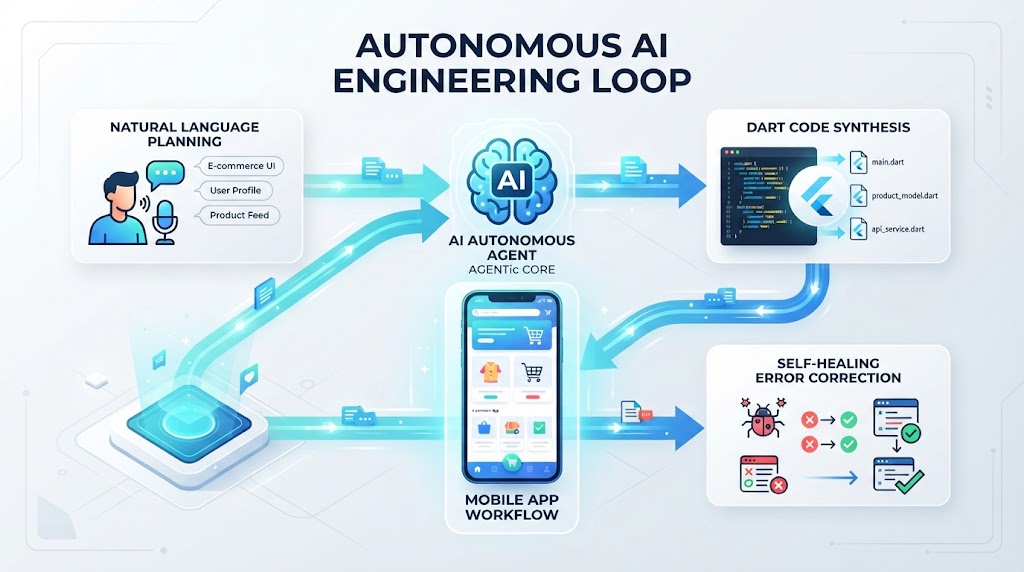
⚡ Featured Snippet Direct Answer: Inside FlutterGo System Stages Flutter Go operates through a multi-stage autonomous engine that transforms natural language descriptions into structured app plans, generates typed Dart and Flutter code, self-heals compilation errors, powers hot-reloading live previews, and compiles signed native binaries for app store deployment.
1. Stage 1: App Idea and Planning Phase
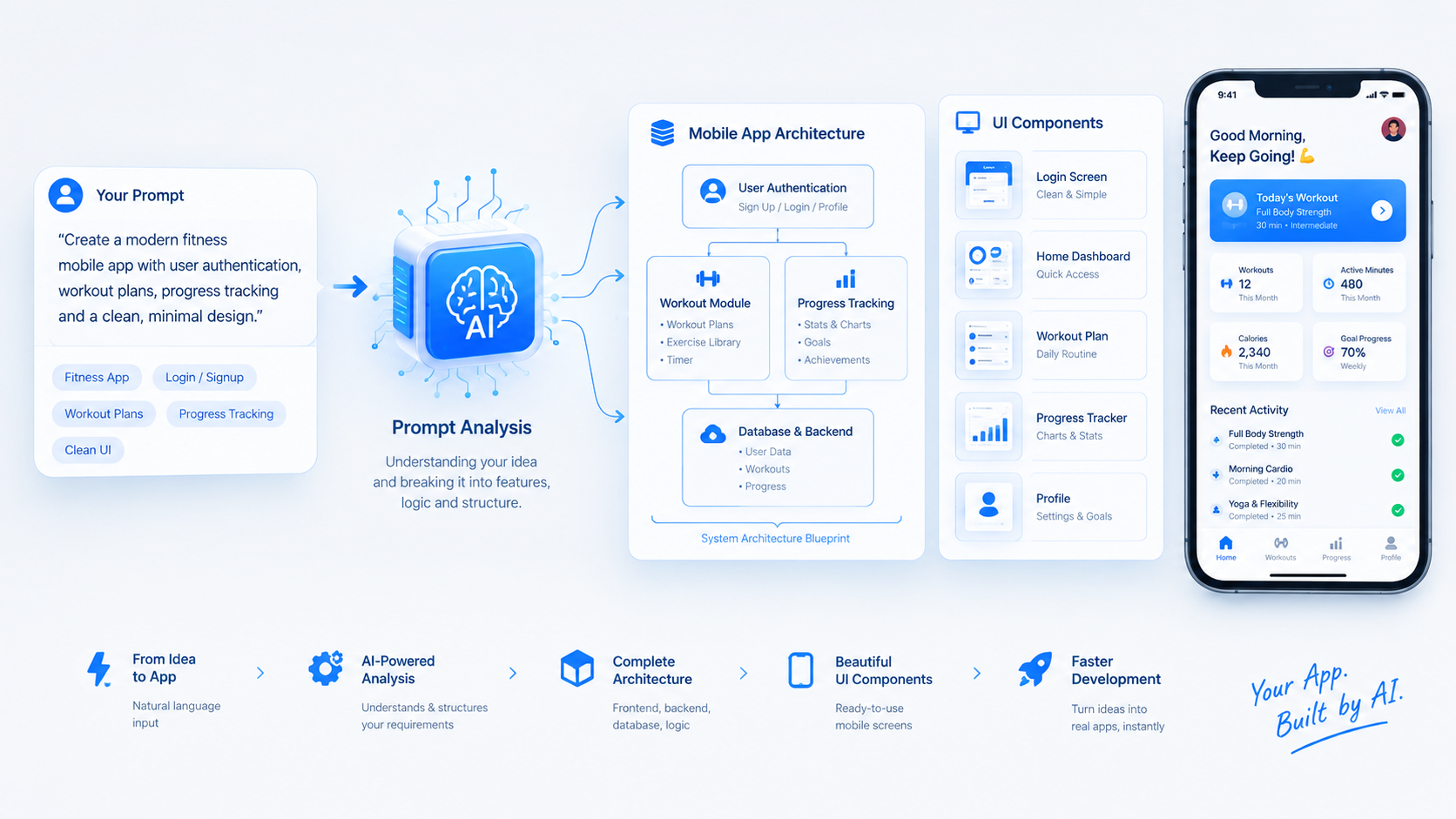
The engineering lifecycle begins the moment a user inputs a product concept or feature description.
Rather than treating text inputs as isolated autocomplete triggers, the system breaks down natural language text into structured functional requirements, user flows, database models, and UI components. This foundational stage establishes a clean architectural blueprint tailored specifically for mobile frameworks before any code is synthesized.
2. Stage 2: Autonomous Code Generation and Structuring
Once the planning blueprint is locked, autonomous agents take over the file creation process.
2.1 Complete Directory Tree and Material 3 Design
The platform constructs a complete, production-grade directory tree. It writes clean, typed Dart code structured systematically around Material 3 design tokens and Riverpod state management patterns.
2.2 Stage 3: Self-Healing Error Correction
If lint errors or compilation conflicts arise during generation, autonomous agents inspect the stack trace, fix the underlying logic, and verify code integrity independently without requiring manual developer intervention.
System Stage | Core Operation | Platform Benefit |
|---|---|---|
Idea & Planning | Parsing natural language into functional blueprints | Structured mobile architecture from day one |
Code Generation | Synthesizing clean Dart and Riverpod files | Production-ready project initialization |
Error Correction | Autonomous stack trace inspection and fixing | Zero manual compilation debugging |
Code Ownership | Bi-directional repository synchronization | Complete version control security |
3. Stage 4: Live Preview and Local Iteration
Transparency and responsiveness define the development loop inside FlutterGo.
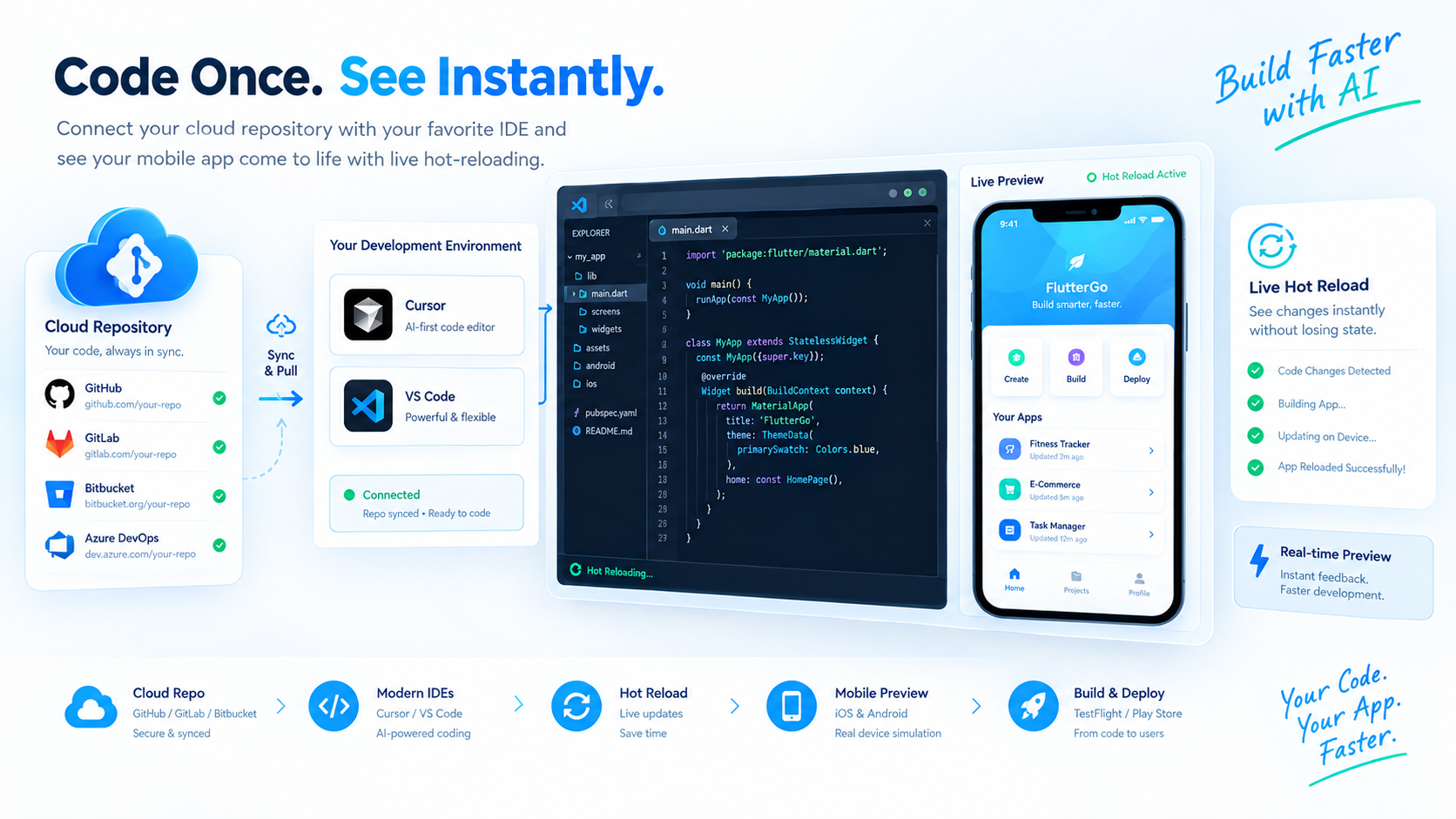
Code executes dynamically with hot-reloading inside a live preview interface so creators can instantly test UI responsiveness and state changes. Meanwhile, advanced engineering teams can pull their repositories down to work locally within environments like Cursor or VS Code while keeping continuous cloud pipeline support active via GitHub Sync Integration.
4. Stage 5: Automated Compilation and App Store Deployment
The final pipeline phase bridges the traditional gap between prototyping and distribution.
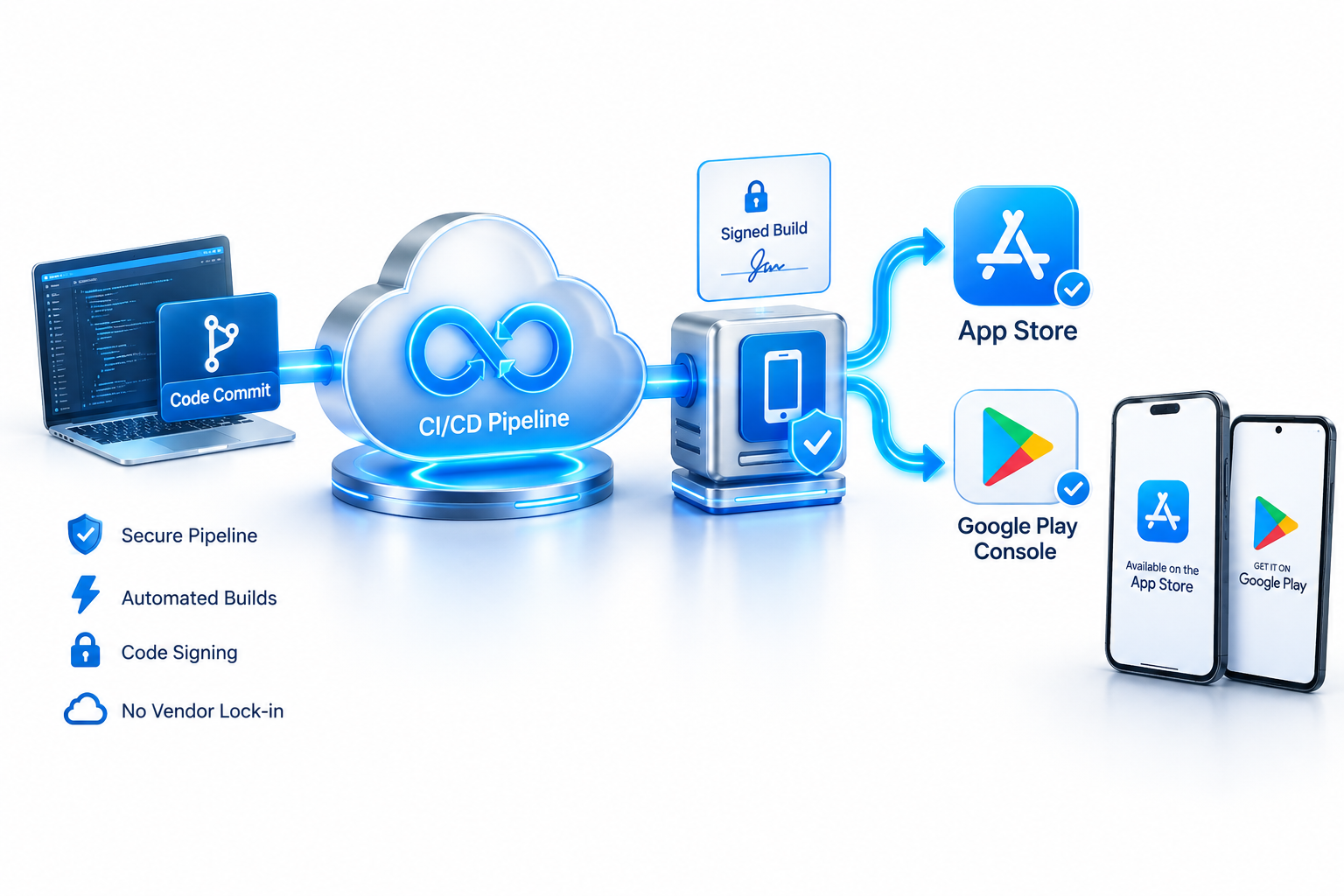
The system connects directly with App Store Connect and Google Play Console APIs to manage ephemeral keys, build signed binaries, and publish production apps directly to TestFlight or Google Play.
[H2] 5. Conclusion: Engineering the Future of Mobile Apps
By orchestrating everything from natural language planning to self-healing code generation and live preview execution, FlutterGo redefines mobile software creation. Explore the Flutter Go Pricing Page to select the right tier for your team, or Visit Flutter Go today to build and preview your next app instantly.