Calling APIs in Flutter in 2026: http or dio, and the Defaults That Bite
http or dio for Flutter API calls? Versions, error handling, timeouts, auth, retries and web limits compared, with code checked against both packages' source.
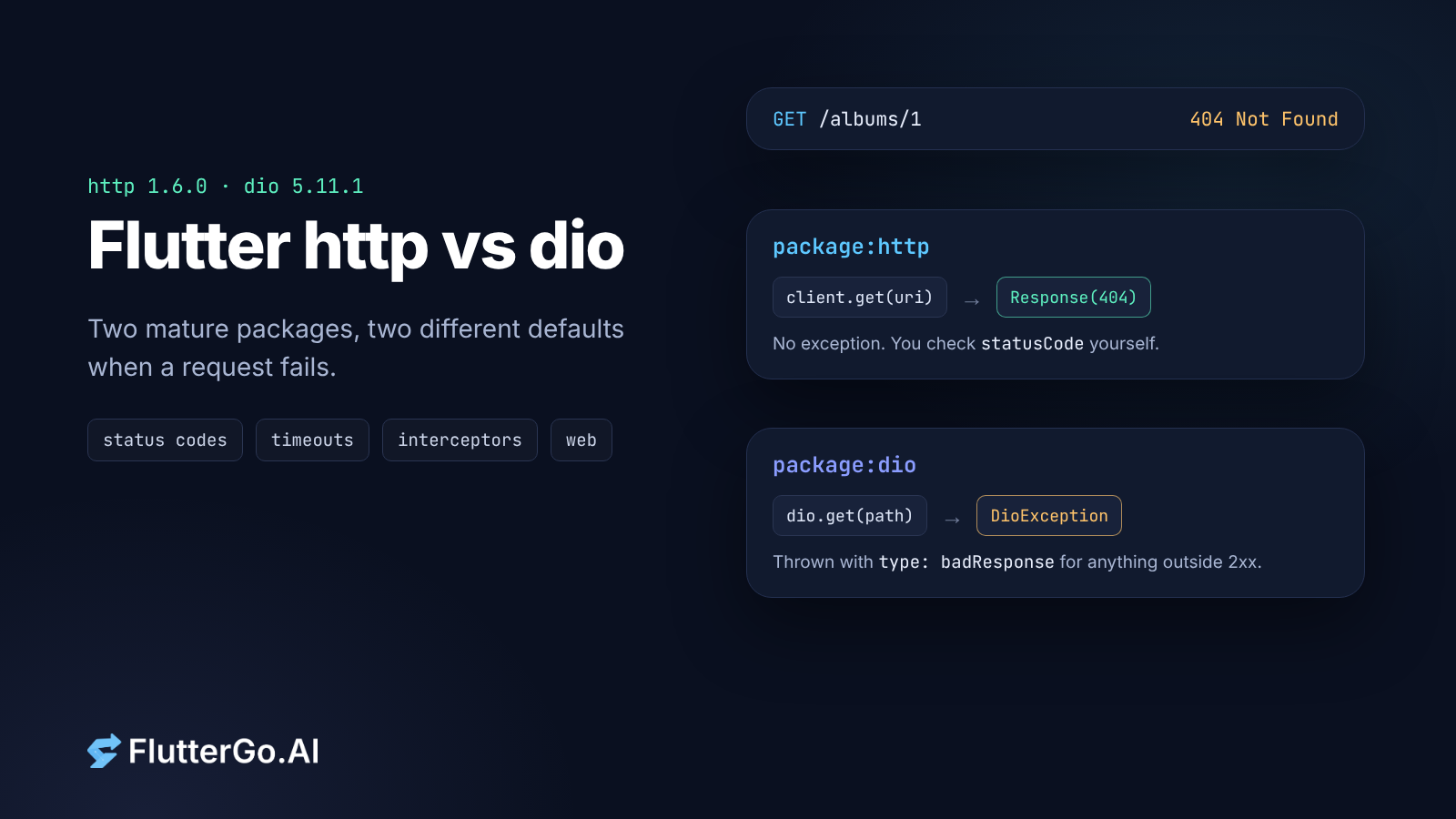
Short answer: use package:http when your app makes a handful of JSON calls and you want the package the Dart team maintains. Use dio when you need interceptors for auth, upload or download progress, per-request cancellation and timeouts configured in one place. Both are mature and both run on every Flutter platform. The differences that cause real bugs are in what each package does by default when a request fails, so most of this article is about those.
Key takeaways
http1.6.0 (dart.dev) anddio5.11.1 (flutter.cn) are the current releases as of 6 October 2026. Both list Android, iOS, web, macOS, Windows and Linux on pub.dev.http.get()does not throw on a 404 or 500. You checkstatusCodeyourself.diothrows aDioExceptionof typebadResponsefor anything outside 2xx.httphas no timeout setting. Wrap the call inFuture.timeout.diohasconnectTimeout,sendTimeout,receiveTimeoutandtransformTimeout, butreceiveTimeoutmeasures the gap between bytes, not the whole response.- Auth headers: subclass
BaseClientinhttp; use anInterceptororQueuedInterceptorindio. - Both can hand the actual networking to the platform's own stack (NSURLSession on iOS, Cronet on Android) through
cupertino_httpandcronet_http.
http and dio at a glance
Checked on pub.dev and in each package's GitHub repository on 6 October 2026.
package:http |
package:dio |
|
|---|---|---|
| Latest version | 1.6.0 (10 Nov 2025) | 5.11.1 (4 Sep 2026) |
| Publisher | dart.dev | flutter.cn |
| Minimum Dart SDK | 3.4 | 2.18 |
| Throws on 4xx/5xx | No (get, post, send…). Only read() and readBytes() throw, for status ≥ 400 |
Yes, anything outside 200 to 299 by default |
| Timeouts | None built in | connectTimeout, sendTimeout, receiveTimeout, transformTimeout |
| Adding headers to every request | Subclass BaseClient |
Interceptor, InterceptorsWrapper, QueuedInterceptor |
| Retries | RetryClient in package:http/retry.dart |
Not in the core package |
| Cancelling | AbortableRequest (since 1.5.0) |
CancelToken |
| Upload/download progress | No callback parameter | onSendProgress, onReceiveProgress, download() |
| Platform-native networking | CupertinoClient, CronetClient |
NativeAdapter from native_dio_adapter |
Download counts and likes change daily, so check pub.dev before quoting them. On 6 October http and dio sat within a hundred likes of each other at 8.4k and 8.3k.
Setup that applies to both
Flutter's own Fetch data from the internet recipe lists two platform steps people forget:
- Android: add
<uses-permission android:name="android.permission.INTERNET" />toAndroidManifest.xml. Flutter's project template already adds this permission to the debug manifest, so a missing entry usually shows up only in release builds. - macOS: add the
com.apple.security.network.cliententitlement to bothmacos/Runner/DebugProfile.entitlementsandmacos/Runner/Release.entitlements.
Then add one package:
flutter pub add http
# or
flutter pub add dio
The same request, written twice
Here is one GET request that turns JSON into a model, first with http. The ApiException class is ours, kept free of dart:io so the code also runs on the web.
import 'dart:convert';

import 'package:http/http.dart' as http;

class ApiException implements Exception {
  ApiException(this.message, {this.statusCode});
  final String message;
  final int? statusCode;

  @override
  String toString() => 'ApiException($statusCode): $message';
}

class Album {
  Album({required this.id, required this.title});
  final int id;
  final String title;

  factory Album.fromJson(Map<String, dynamic> json) =>
      Album(id: json['id'] as int, title: json['title'] as String);
}

Future<Album> fetchAlbum(http.Client client, int id) async {
  final uri = Uri.https('jsonplaceholder.typicode.com', '/albums/$id');
  final response = await client
      .get(uri, headers: {'Accept': 'application/json'})
      .timeout(const Duration(seconds: 10));

  // http does not throw on 404 or 500. This check is the error handling.
  if (response.statusCode != 200) {
    throw ApiException('GET $uri failed', statusCode: response.statusCode);
  }
  return Album.fromJson(jsonDecode(response.body) as Map<String, dynamic>);
}
And with dio:
import 'package:dio/dio.dart';

final dio = Dio(
  BaseOptions(
    baseUrl: 'https://jsonplaceholder.typicode.com',
    connectTimeout: const Duration(seconds: 5),
    receiveTimeout: const Duration(seconds: 10),
    headers: {'Accept': 'application/json'},
  ),
);

Future<Album> fetchAlbum(int id) async {
  try {
    final response = await dio.get<Map<String, dynamic>>('/albums/$id');
    return Album.fromJson(response.data!);
  } on DioException catch (e) {
    if (e.type == DioExceptionType.badResponse) {
      throw ApiException('GET /albums/$id failed',
          statusCode: e.response?.statusCode);
    }
    rethrow; // timeouts, no network, cancelled
  }
}
The http version passes the Client in as an argument. That is what the package README recommends: "For better testability, especially in Flutter applications, it's recommended to use a Client instance rather than the top-level functions like http.get()". It also tells you to call close() on a client when you are done with it.
The dio version keeps one Dio instance for the app. The dio README says the same: "It is recommended to use a singleton of Dio in projects".
Where the defaults bite
A 404 is a successful Future in http
This one is easy to miss, in hand-written and generated code alike. With http, get, post, put, delete and send return a Response whatever the status code. The only methods that throw are read() and readBytes(), and the source shows the cutoff: if (response.statusCode < 400) return;. So a 304 or a 302 that wasn't followed passes through read() too.
If you skip the status check, a 500 page's HTML lands in jsonDecode and you get a FormatException that points at the wrong problem.
With dio it works the other way round. The default validateStatus is status >= 200 && status < 300, and anything else becomes a DioException with type == DioExceptionType.badResponse. The response body is still there in e.response, because receiveDataWhenStatusError defaults to true. If your API uses 404 as a normal "not found" answer, pass your own validateStatus for that request rather than catching exceptions as control flow.
Timeouts: http has none, dio has four that aren't a total deadline
package:http has no timeout parameter. Future.timeout stops your code waiting, but it doesn't close the connection. Since 1.5.0 you can actually abort a request by sending an AbortableRequest and completing its abortTrigger. The package README lists BrowserClient, IOClient and RetryClient among the clients that support it.
dio gives you connectTimeout, sendTimeout, receiveTimeout and, since 5.10.0, transformTimeout. Read the receiveTimeout docs carefully. It covers the wait for the first response bytes and then "the duration during data transfer of each byte event, rather than the total duration of the receiving." A slow server that trickles a byte every few seconds never trips it. If you need a hard limit on the whole call, add a CancelToken and cancel it from a Timer, or wrap the Future in .timeout() as you would with http.
On the web, dio runs on XHR
On the web, dio uses BrowserHttpClientAdapter, which lives in dio_web_adapter. The adapter's README says the browser handles the request through XHR, so the browser decides the HTTP version, and CORS applies to every call. The adapter's source warns that sendTimeout and onSendProgress "cannot be used without a request body to send on Web". download() on the web treats the path as the browser's suggested file name and loads the whole response into memory first.
http on the web uses BrowserClient by default. The README also lists FetchClient from the third-party fetch_client package if you want the Fetch API with streaming.
Auth headers and token refresh
With http, the README's answer is composition: "create a subclass of BaseClient that wraps another Client and adds the desired behavior."
class AuthClient extends http.BaseClient {
  AuthClient(this._inner, this._readToken);

  final http.Client _inner;
  final Future<String?> Function() _readToken;

  @override
  Future<http.StreamedResponse> send(http.BaseRequest request) async {
    final token = await _readToken();
    if (token != null) {
      request.headers['Authorization'] = 'Bearer $token';
    }
    return _inner.send(request);
  }

  @override
  void close() => _inner.close();
}
With dio, it's an interceptor. If refreshing the token is asynchronous, use QueuedInterceptor. A plain Interceptor lets concurrent requests enter at once, so five requests that start together can trigger five refreshes. QueuedInterceptor processes onRequest, onResponse and onError each in their own queue.
abstract class TokenStore {
  /// Returns a valid access token, refreshing it first if it has expired.
  Future<String> validAccessToken();
}

class AuthInterceptor extends QueuedInterceptor {
  AuthInterceptor(this._tokens);
  final TokenStore _tokens;

  @override
  void onRequest(
    RequestOptions options,
    RequestInterceptorHandler handler,
  ) async {
    try {
      final token = await _tokens.validAccessToken();
      options.headers['Authorization'] = 'Bearer $token';
      handler.next(options);
    } catch (e) {
      handler.reject(DioException(requestOptions: options, error: e));
    }
  }
}

// dio.interceptors.add(AuthInterceptor(myTokenStore));
Always call the handler, including on the error path. dio 5.10.0's changelog fixed a "request hanging indefinitely when async interceptor callbacks throw without calling the handler", and calling reject yourself keeps you from depending on that fix.
Retries and cancellation
http ships a retry wrapper:
import 'package:http/http.dart' as http;
import 'package:http/retry.dart';

final client = RetryClient(
  http.Client(),
  retries: 3,
  when: (response) => response.statusCode == 503 || response.statusCode == 429,
);
By default it retries 503 responses up to three times, waiting 500 ms before the first retry and 1.5 times longer before each one after that. "n retries means that the request will be sent at most n + 1" times, so only retry requests that are safe to repeat.
dio's core package has no retry helper. Write a small interceptor or use a plugin you have reviewed.
For cancellation, dio's CancelToken is the easier of the two. It's handy for search-as-you-type, where every keystroke makes the last request pointless:
CancelToken? _searchToken;

Future<List<dynamic>> search(String query) async {
  _searchToken?.cancel('superseded');
  final token = _searchToken = CancelToken();
  try {
    final res = await dio.get<List<dynamic>>(
      '/search',
      queryParameters: {'q': query},
      cancelToken: token,
    );
    return res.data ?? [];
  } on DioException catch (e) {
    if (CancelToken.isCancel(e)) return [];
    rethrow;
  }
}
One token can be shared by several requests. Cancelling it cancels all of them.
Uploads, downloads and big JSON
If your app uploads photos or downloads files and shows a progress bar, dio saves you work. It has FormData with MultipartFile.fromFile, onSendProgress, onReceiveProgress and dio.download(). The README warns that you should "make a new FormData or MultipartFile every time in repeated requests", so don't reuse one across retries. http has MultipartRequest for uploads but no progress callback, so a progress bar means streaming the body yourself.
Large JSON responses are a separate problem. Flutter's Parse JSON in the background recipe moves decoding off the UI isolate with compute(), because work longer than about 16 ms per frame causes jank. With http you do this yourself.
dio's default transformer has been FusedTransformer since 5.5.0. It decodes JSON on the main isolate unless the response is over 50 KB, then switches to a background isolate. The dio README still names BackgroundTransformer as the default. The source code and changelog say otherwise, and we went with the code.
Using the platform's own networking stack
Both packages run on dart:io sockets by default on mobile and desktop. You can hand requests to the operating system's networking stack instead, which gets you system proxy and VPN support, HTTP/3 and the platform's cache:
cupertino_http(dart.dev, 3.1.0) wraps Apple's Foundation URL Loading System on iOS and macOS.cronet_http(dart.dev, 1.10.0) wraps Cronet on Android. Its README notes that it depends on Google Play Services unless you build with the embedded Cronet option.- For
dio,native_dio_adapter(flutter.cn, 1.8.0) uses both of those on iOS, macOS and Android, and plain Dart elsewhere. Its README warns that some devices, such as AOSP emulators and phones without Google Play services, have every Cronet provider disabled. On those devices "every request fails" unless you passcreateFallbackAdapter.
With http, the README pattern is a small factory that returns CronetClient on Android, CupertinoClient on Apple platforms and IOClient elsewhere. You then pass that client through your app instead of calling top-level http.get. You can also build with --dart-define=no_default_http_client=true so that only the client you configured ends up in the app.
Testing
http includes MockClient in package:http/testing.dart. Because the code above takes a Client argument, a test can pass a MockClient that returns a canned 404 and check that ApiException is thrown. That's the test that catches the missing status check.
With dio, you replace dio.httpClientAdapter with your own HttpClientAdapter that returns fixed responses, or mock the repository that wraps dio.
Which one should you pick?
Pick http if:
- you call a few REST endpoints and want as little as possible between you and the request;
- you want the package published by the Dart team, with Cupertino and Cronet clients from the same repository;
- you're writing a package that other apps depend on. The README tells package authors not to depend on a specific
Clientand to let the app choose.
Pick dio if:
- every request needs auth headers, logging or token refresh, and you want that in one interceptor;
- you upload or download files and need progress;
- you want timeouts, a base URL and default headers configured once;
- you cancel requests often, as in search screens or tabs that load data.
There's nothing wrong with starting on http and moving to dio later. If the API calls live in one repository class, the switch touches a single file.
If an AI wrote your networking code
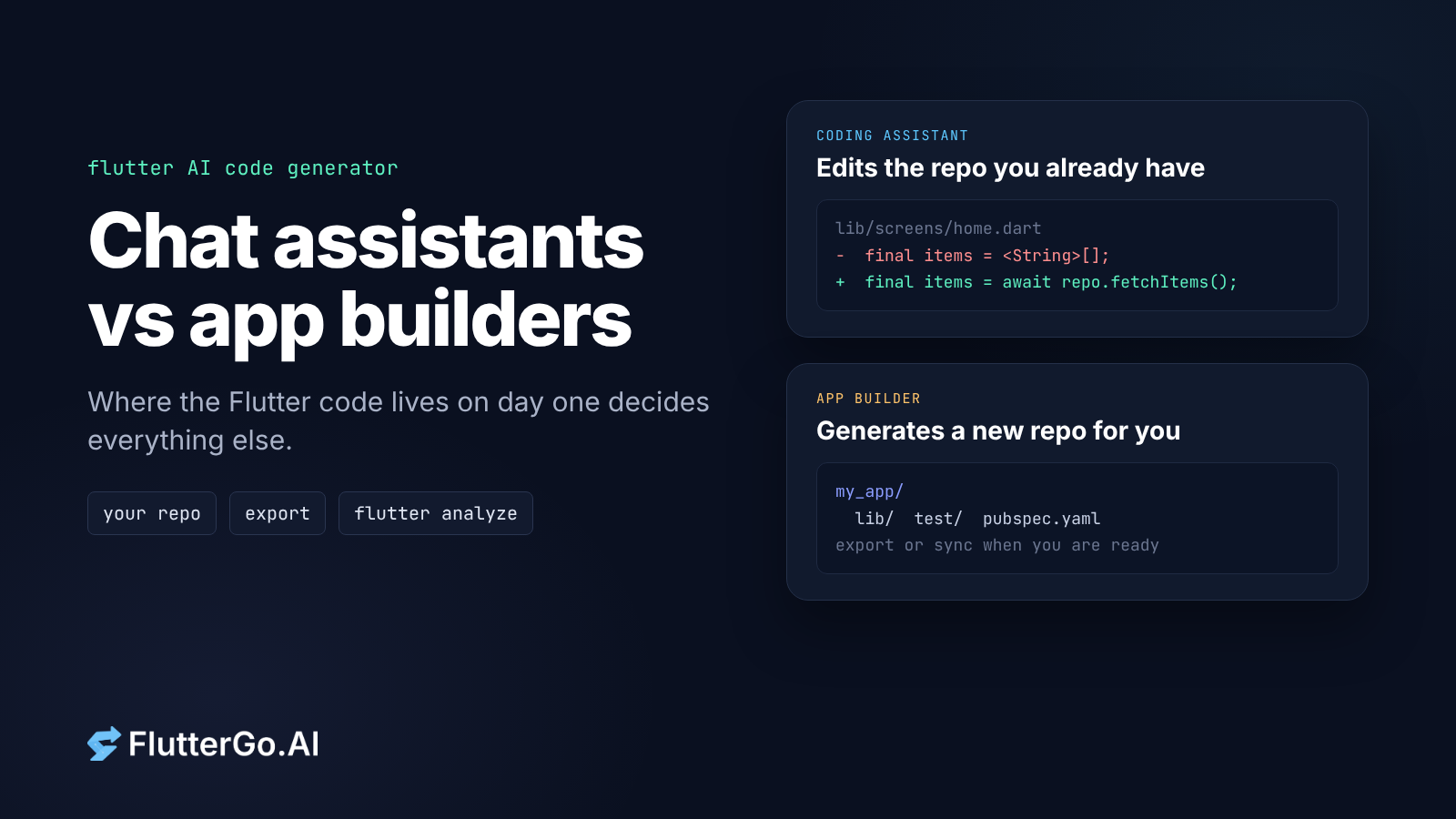
Whichever package your project uses, three quick checks cover the defaults above. They apply to code you wrote, code a chat assistant wrote, and code from FlutterGo, our AI Flutter app builder:
- Find every
http.get/postcall and confirm there's a status check after it. - Find every place that catches a
DioExceptionand confirm it handlesbadResponseseparately from timeouts andconnectionError. - Search the codebase for
timeoutand confirm the slow paths have one.
Look in pubspec.yaml to see which client the project actually depends on, and read the code before you trust it. Our post on judging an AI app builder by the repo it leaves you has the longer checklist. Where AI app builders still fail lists the bugs we've actually caught. If a networking layer is new to you, the Flutter state management guide covers where the repository class sits.
FAQ
Is dio better than http in Flutter?
Neither is better for every app. dio has more built in (interceptors, timeouts, progress, cancellation). http is smaller, maintained by the Dart team, and asks you to compose those features yourself.
Does the Flutter documentation use http or dio?
The official cookbook recipe Fetch data from the internet uses package:http.
Why doesn't my http request throw on a 404?
Because package:http returns the Response for any status code. Check response.statusCode yourself, or use read(), which throws a ClientException for status 400 and above.
How do I set a timeout with the http package?
Call .timeout(const Duration(seconds: 10)) on the Future. To actually stop the request, use an AbortableRequest and complete its abortTrigger (http 1.5.0+).
Does dio work on Flutter web?
Yes, through dio_web_adapter, which uses XHR. CORS rules apply, and sendTimeout and onSendProgress need a request body on the web.
Versions checked 6 October 2026: http 1.6.0, dio 5.11.1, cupertino_http 3.1.0, cronet_http 1.10.0, native_dio_adapter 1.8.0. Current stable at the time: Flutter 3.47.6 with Dart 3.13.5. Code was checked against each package's published API and source; it was not run with dart analyze.