FlutterGo vs Nowa: Visual Canvas or Prompt-First Flutter Builder?
FlutterGo and Nowa both build real Flutter apps with AI. They differ on visual editing, Git round-trips, web and desktop targets, and pricing. Compared.
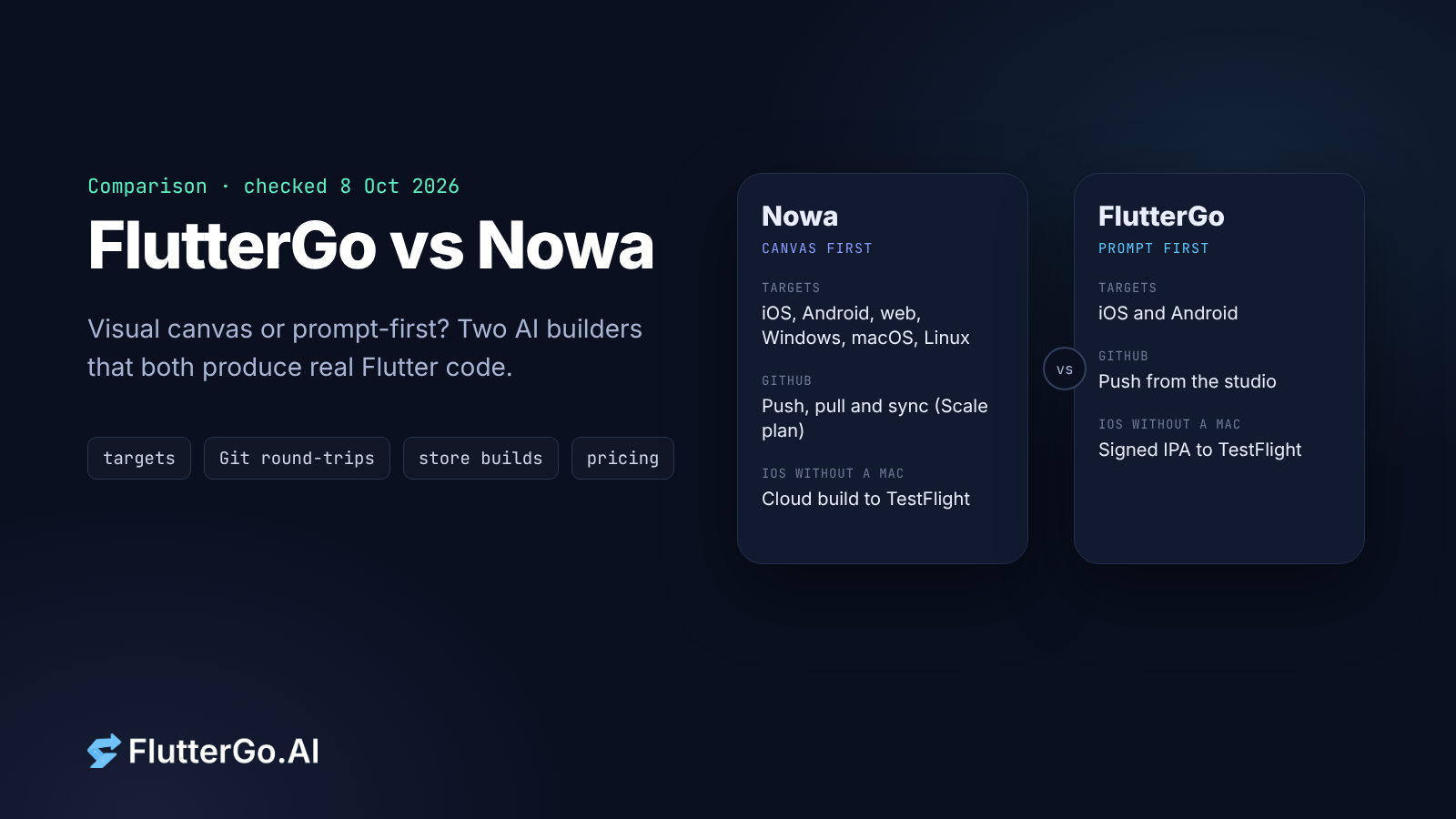
FlutterGo and Nowa are both AI builders that produce real Flutter code, both send iOS builds to TestFlight without a Mac, and both let you leave with your source. So the choice comes down to how you like to work. Nowa is built around a visual canvas with AI on top, and it also targets web and desktop. FlutterGo is prompt-first, aimed only at iOS and Android, and runs the whole path from prompt to signed store builds in one browser workspace.
We make FlutterGo, so weigh this page with that in mind. Every Nowa fact below comes from nowa.dev or docs.nowa.dev, and every FlutterGo fact comes from fluttergo.ai, all checked on 8 October 2026. If a vendor's own pages don't state something, we leave it out.
The short answer
- Pick Nowa if you want to design screens and logic on a visual canvas, ship the same project to web or desktop as well as mobile, or keep a developer editing in VS Code while someone else works visually.
- Pick FlutterGo if you'd rather describe the app in plain English and refine it with more prompts, you only need iOS and Android, and you want the generated Dart to follow a common stack (Riverpod and go_router, according to the homepage).
Both are reasonable picks for a Flutter project, and neither locks your code in.
What each product is
Nowa calls itself "a visual, AI-powered Flutter app builder". Its homepage says "Every Nowa app is powered by Flutter" and lists export targets for Android (APK or AAB), iOS through TestFlight, web, Linux, macOS and Windows. The AI side starts with a planning step: you describe the idea, answer a few questions, and approve a plan before it builds. Nowa says it checks the code the AI writes before it reaches your project, and its integrations list includes Supabase, Firebase, Airtable, RevenueCat, Xano, OpenAI, Gemini and custom APIs. There is a desktop app as well as the browser version.
FlutterGo is an AI Flutter app builder for iOS and Android only. The homepage says you "describe the app, get Dart with Riverpod and go_router", with Material 3 and a hot-reloading iPhone preview. It builds "release APK, AAB and IPA, no Mac required", and "Signed builds go to TestFlight and Google Play through the official store APIs". It works with Firebase, Supabase, Stripe, GitHub and Figma. Beyond prompts, Edit Mode lets you click elements in the preview and change colors, typography and spacing.
One caveat about our own claim: in our published builds the generated state layer has varied. The habit tracker used Riverpod; the reading list build used a single ChangeNotifier store. Open your build and check before you plan around it.
Side by side
| Nowa | FlutterGo | |
|---|---|---|
| Main way of working | Visual canvas for UI, logic and data, plus an AI agent that plans first | Prompts, plus Edit Mode for visual tweaks in the preview |
| Output | Flutter | Flutter (Dart) |
| Targets | iOS, Android, web, Windows, macOS, Linux | iOS and Android (Pro and Business add a separate website and admin panel) |
| iOS without a Mac | Yes: builds in the cloud, pushes to TestFlight (needs an App Store Connect API key) | Yes: signed IPA sent to TestFlight from the browser |
| Android | APK and AAB | APK, AAB, signed builds to Google Play |
| Store deploy on which plan | Launch and up | APK builds from Starter; store deploys cost 2.5 credits per store |
| Code download | Launch and Scale (pricing page) | "Export source code" from Starter |
| GitHub | Scale plan; commit, push, pull and sync, branches | Push from the studio ("GitHub sync" on Starter, private-repo sync on Pro and up) |
| Edit in your own IDE | Local projects in Nowa Desktop sync with VS Code both ways | Edit the exported or pushed code; changes don't flow back into the studio |
| Free plan | Starter: 1.2 AI credits a day, unlimited projects | Free: 5 credits a month, up to 2 projects |
| Paid plans | Launch $24/mo and Scale $49/mo billed yearly (Scale is $59 billed monthly); Enterprise custom | Starter $19, Pro $49, Business $99 a month; Enterprise on request |
Sources: nowa.dev, nowa.dev/pricing, nowa.dev/flutter-app-builder, docs.nowa.dev (git, hybrid approach, iOS deployment); fluttergo.ai, fluttergo.ai/pricing. All accessed 8 October 2026.
Where they really differ
Canvas first or prompt first
This is the real choice. Nowa's flutter-app-builder page describes a visual editor that covers "everything, not just screens", including logic and data, with AI that can build whole screens in one pass. You still see and shape the app as a canvas.
FlutterGo starts from a written description. You change the app by asking for changes, and you use Edit Mode for the visual details. If you think in layouts and like to drag things into place, Nowa will feel more natural. If you'd rather write "add a History tab with a weekly chart" and review what comes back, FlutterGo is built for that.
Getting edits back from your own code
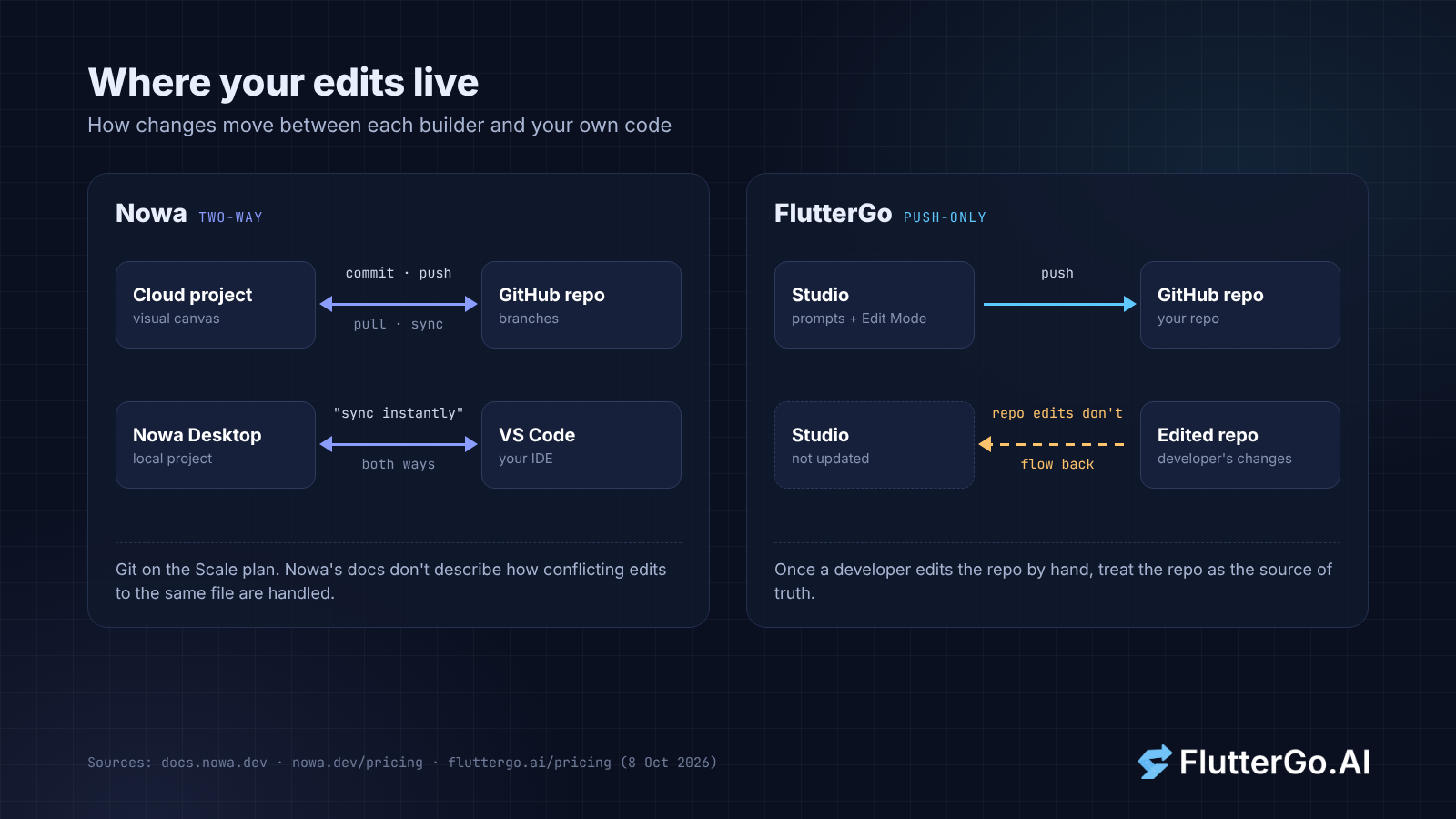
Nowa is ahead here, and it's worth saying plainly. Its docs describe Git on cloud projects with commit, push, pull, sync and branches, so a teammate's push to GitHub can be pulled back into Nowa. Local projects in Nowa Desktop go further: Nowa's hybrid-approach docs say changes made in Nowa or your IDE "sync instantly". Nowa's docs don't describe how conflicting edits to the same file are handled.
FlutterGo's GitHub sync is push-only. You push from the studio when you're ready, and edits made directly in the repo don't come back into the studio. In practice, once a developer starts editing the repo by hand, treat the repo as the source of truth.
Web and desktop
Nowa builds web and desktop apps from the same Flutter project, and its Launch plan includes web hosting on a custom domain. FlutterGo's Flutter output targets the two phone stores. Its Pro plan adds a "Website & admin panel for your app", which is a separate site rather than the Flutter app compiled for the web. If a Windows or macOS build of the same app matters to you, that settles it.
Shipping to the stores
On iOS both tools avoid the Mac. Nowa's iOS guide has you create an App Store Connect API key with Admin or App Manager access, set up signing (Nowa can generate the certificate), then press Build. FlutterGo deploys through "your own connected store and CI accounts". Either way you still pay Apple's $99 a year and Google's one-time $25 yourself. Nowa's pricing FAQ says so directly, and FlutterGo's says store and CI accounts "may have their own charges".
Pricing
The credit systems differ too much for a fair cost-per-credit comparison. Nowa gives daily credits (1.2 a day on Starter, 12 on Launch, 30 on Scale) and estimates about 0.3 credits for one screen. FlutterGo gives monthly credits and charges "1 credit per AI command, and 2.5 credits per store deploy". At list price the entry paid plans are close: Nowa Launch is $24 a month billed yearly, and FlutterGo Starter is $19 a month.
One thing to check before you buy: Nowa's homepage mentions full code downloads on the free Starter plan, while its pricing table shows source-code download only from Launch. If code export matters on day one, confirm with Nowa which applies.
What we couldn't compare
We haven't built the same app in both tools, so this page makes no claims about generated code quality, build speed, how each one recovers from a compile error, or how Nowa structures state in the code it writes. A fair test needs one prompt run in both, with both repos published. Until we do that, the best evidence is your own app.
How to decide in an afternoon
- Write a one-paragraph description of your app and the platforms it needs. If web or desktop is on the list, start with Nowa.
- Try it on both free plans.
- Open the generated code and read the state layer and folder structure. Then reload the app and check that data persists. Our checklist for judging a builder by the repo it leaves you helps here.
- Decide who will edit the code after launch. If a developer will work in VS Code while someone else keeps working visually, Nowa's two-way sync is a real advantage.
For other comparisons, see FlutterGo vs FlutterFlow and FlutterGo vs Rocket.
FAQ
Is Nowa a Flutter app builder? Yes. Nowa describes itself as "a visual, AI-powered Flutter app builder" and says every Nowa app is powered by Flutter.
Can I publish to the App Store without a Mac with either tool? Both say yes. Nowa's FAQ says it builds your iOS app in the cloud and delivers it to TestFlight. FlutterGo builds the signed IPA and sends it to TestFlight. Both need your own Apple Developer membership.
Which one syncs with GitHub both ways? Nowa, on its Scale plan, supports pull and sync as well as push. FlutterGo pushes to your repo, and repo edits don't flow back into the studio.
Does either take a cut of app revenue? Nowa's pricing FAQ says no. FlutterGo's pricing page doesn't mention a revenue share. It says your code stays yours in your GitHub repo even if your plan ends.