Build an iOS and Android App with AI Without Writing Code: What the AI Does, and What's Still on You
You can build an iOS and Android app with AI without writing code. Here's what the AI handles, and the accounts, testing and store steps it can't.
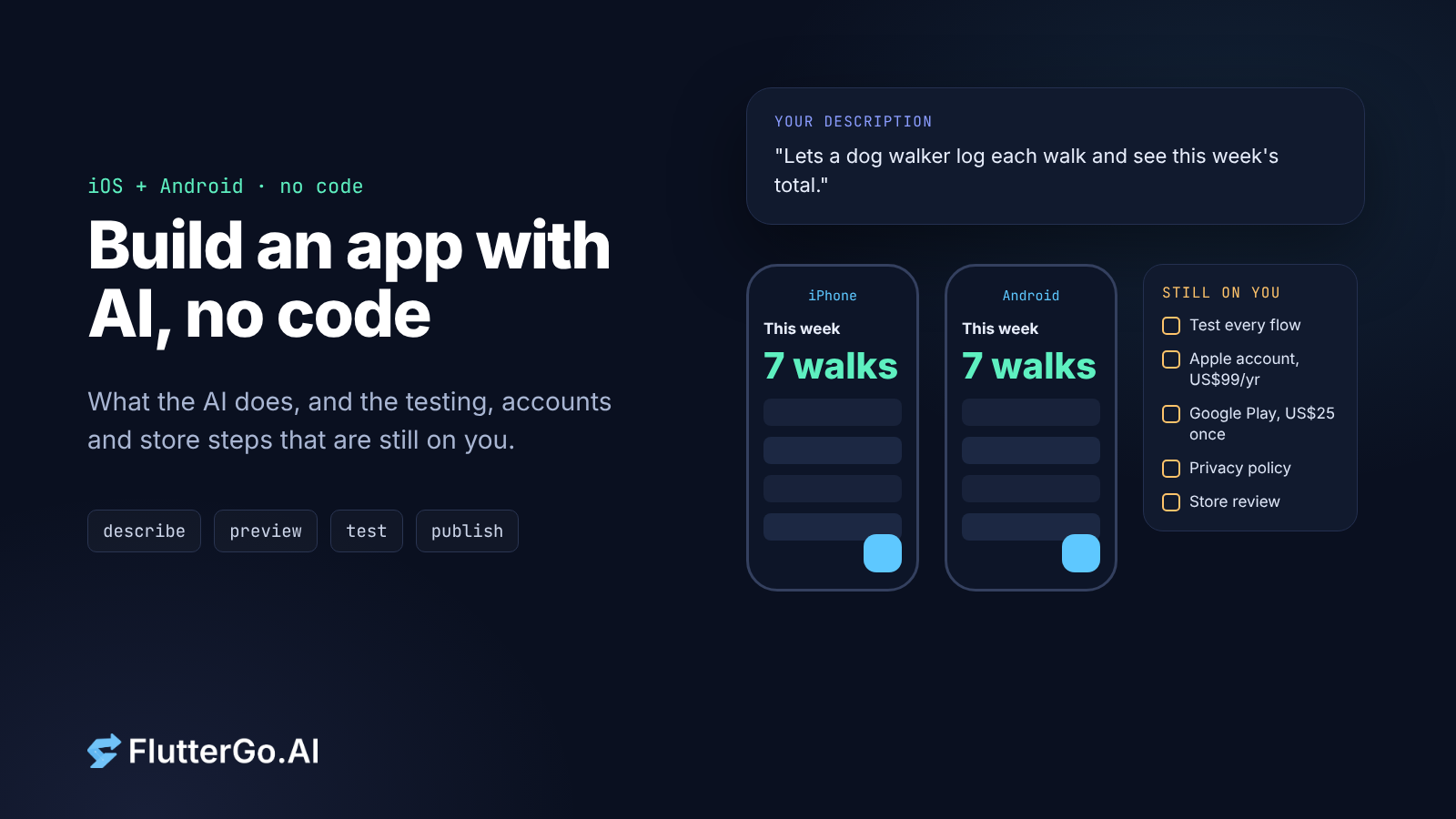
Yes, you can build an app for iPhone and Android with AI without writing a line of code. You describe the app, the AI writes the code, and you test it in a live preview. The code is the part the AI does well now. What it can't do for you is the work around the code: deciding what the app does, testing it like a real user, opening developer accounts, writing a privacy policy and getting through store review.
This guide covers both halves, so you know what "no code" actually includes before you start.
Key takeaways
- An AI app builder turns a written description into a working app. FlutterGo generates one Flutter codebase that runs on iOS and Android.
- No code doesn't mean no work. You still plan the screens, test every flow and describe the bugs you find.
- Publishing costs money and time no matter how the app was built. Apple charges US$99 a year. Google Play charges a one-time US$25 fee, and new personal accounts must run a closed test with at least 12 testers for 14 days before going to production.
- Both stores need a privacy policy and a description of what data your app collects.
- Pick a builder that gives you the source code. If you outgrow it or hire a developer later, they start from real code instead of starting over.
What "without writing code" actually covers
| Step | Who does it with an AI app builder |
|---|---|
| Turning the idea into screens and features | You describe it; the AI plans and builds it |
| Writing the code | The AI |
| Fixing compile errors | Mostly the AI |
| Finding behaviour bugs (wrong totals, wrong dates) | You, by testing |
| Describing the fix | You, in plain language |
| Apple and Google developer accounts | You |
| Privacy policy, store listing, screenshots | You (the AI can draft text) |
| Store review | Apple and Google |
The table is the whole idea. The middle rows got cheap. The rows in bold didn't.
Step 1: Write the app down before you prompt
The best prompts read like a short spec, not a wish. Before you open any builder, write down:
- Who it's for and the one job it does. "Lets a dog walker log each walk and see this week's total."
- The screens. List them: home, add walk, history, settings.
- The data. What does one record contain? Date, client name, duration, paid or not.
- The rules. "A week starts on Monday." "Totals ignore cancelled walks." This is where AI-built apps go wrong most often, because nobody told the AI what the rule was.
- Where data lives. Only on the phone, or synced to an account? Sync needs a backend such as Firebase or Supabase, plus sign-in.
Ten minutes on this list saves you a lot of rounds of "no, not like that."
Step 2: Generate the app and use the live preview
In FlutterGo you paste that description into the studio. The agent lays out the screens and writes the Dart code while you watch, and the app runs in a live preview that hot-reloads as it changes. FlutterGo builds with Flutter, Google's framework that compiles one codebase for both iOS and Android, so you get both platforms from one prompt.
You don't need to read the code to use it. It's worth knowing it exists, though. FlutterGo lets you open and edit the Dart, export it as a Flutter project, or push it to your own private GitHub repository. Our homepage puts it this way: "You own the source code, and it stays yours even if you cancel." For visual tweaks there's also Edit mode.
Step 3: Test it like your most careless user
This is the step people skip, and it decides whether the app is any good. An app that builds and looks right can still do the wrong thing. We build a real app for each tutorial on this blog, and every one of our first five builds had at least one bug that a quick tap-through would miss:
- A gift planner showed a $50.40 gift against a $50 budget as "You are $0 over", because every amount was rounded to whole dollars.
- In a board game score keeper, tapping +1 for one player also scored another. Two players added at the same moment had ended up with the same ID.
- An interval timer logged "8 rounds" for a workout where every phase had been skipped.
None of these were crashes. The app ran fine and showed the wrong answer. Our write-up of where AI app builders still fail lists all twelve bugs from those builds. You only catch that kind of bug by using the app with real data and checking the result against what you expected. Try these:
- Enter something, close the app completely, reopen it. Is it still there?
- Enter odd values: zero, a very long name, a price with cents, a date at the end of the month.
- Change the phone to dark mode and to a larger text size.
- Do the main task ten times in a row, fast.
- Try both a small phone and a large one in the preview.
Step 4: Fix bugs by describing symptoms
You still don't need to write code to fix what you find. Describe what you saw, what you expected, and the exact steps:
"On the History screen, a walk logged on Sunday 5 October appears under the week starting 6 October. Weeks should start on Monday, so it belongs to the week of 29 September."
A specific symptom with real values gives the AI something to check. "The dates are wrong" doesn't. After each fix, run the same test again, plus the tests that passed before. A fix in one place can break another.
Step 5: Open your developer accounts early
This step has nothing to do with AI, and it often takes the longest. Start it while you're still building.
| Apple Developer Program | Google Play Console | |
|---|---|---|
| Fee | US$99 per membership year | US$25, one time |
| You'll need | An Apple Account with two-factor authentication, your legal name, contact details (no P.O. boxes) | Identity verification; Google may ask for a government ID and a card in your legal name |
| Extra step for new accounts | None | Personal accounts created after 13 November 2023 must run a closed test with at least 12 testers, opted in continuously for 14 days, before production |
Sources: Apple, Google Play fee and verification, Google Play testing requirement. All checked 6 October 2026.
That 14-day closed test catches a lot of first-time Android publishers off guard. Recruit your 12 testers while the app is still in progress. Google's Android developer verification is also rolling out country by country; our developer verification guide covers the timeline.
Step 6: Privacy policy and data disclosures
Both stores ask what your app does with user data, and "an AI built it" isn't an answer they accept.
- Apple: App Review Guideline 5.1.1(i) says "All apps must include a link to their privacy policy in the App Store Connect metadata field and within the app in an easily accessible manner." App Store Connect also asks you to describe your app's data handling, which appears as the privacy details on your product page.
- Google Play: apps on open, closed or production tracks must fill in the Data safety form, which "provides developers with a transparent way to show users if and how they collect, share, and protect user data".
You need to know what your app collects to answer these honestly. That's another reason to decide in Step 1 whether data stays on the phone or goes to a backend. If you add analytics, crash reporting or sign-in later, update both forms.
Step 7: Get through review
Apple reviews every app before it goes live. Two guidelines matter most for a first app:
- 2.1 App Completeness: submissions "should be final versions with all necessary metadata and fully functional URLs included; placeholder text, empty websites, and other temporary content should be scrubbed before submission." Before you submit, search the app for sample data and placeholder text added while it was being built.
- 4.2 Minimum Functionality: "Your app should include features, content, and UI that elevate it beyond a repackaged website." A Flutter app with real screens is a native app, not a web wrapper, but it still has to be useful.
Our list of the eight App Store rejections we see most goes further. For Android, Publishing a Flutter app to Google Play, start to finish walks through the Play Console, and AAB vs APK explains the file format Google wants.
Step 8: Ship builds to testers, then the stores
Traditionally, building and signing an iOS app meant a Mac with Xcode. In FlutterGo, signed builds go to TestFlight and Google Play through the official store APIs, from the same workspace you built the app in. If you'd rather run your own pipeline, Flutter CI/CD with no Mac in the loop shows how.
Send the first build to testers, not the public: TestFlight on iOS, and on Android the closed test from Step 5. Real users on real phones find things the preview won't.
When you'll want a developer anyway
No-code AI building works well for apps with clear screens, clear data and clear rules. Trackers, catalogs, booking forms, internal tools and MVPs to show investors all fit. Plan on bringing in a developer, at least for a review, when:
- the app handles payments, health data or anything regulated;
- it needs a custom backend with business logic beyond standard Firebase or Supabase features;
- it depends on unusual device features or third-party SDKs;
- real users are about to trust it with their data.
This is where owning the code pays off. A developer can open the Flutter project, read it, and pick up where you left off. Our post on judging an AI app builder by the repo it leaves you explains what they'll look for.
Start with one small app
The fastest way to learn what "no code" means for you is to build something small and take it all the way to TestFlight or a closed test. FlutterGo, our AI Flutter app builder, lets you build your first app free, with no card needed, and the free plan includes 5 credits a month. See the pricing page for paid plans.
FAQ
Can I really build an app without coding? Yes. An AI app builder writes the code from your description. You still plan the app, test it, fix bugs by describing them, and handle store accounts and listings.
Can one AI-built app run on both iPhone and Android? Yes, if the builder uses a cross-platform framework. FlutterGo generates a Flutter app, and Flutter compiles one codebase for both iOS and Android.
How much does it cost to publish an app? Apple's developer program is US$99 a year. Google Play has a one-time US$25 registration fee. Those are the store fees; your app builder's plan is a separate cost.
Do I need a Mac to publish to the App Store? In FlutterGo, signed builds go to TestFlight through Apple's official store APIs from the FlutterGo workspace. Outside FlutterGo, a cloud CI service that runs macOS can build and upload for you.
How long does it take to get on Google Play with a new account? If you have a new personal account, plan for at least 14 days of closed testing with 12 or more testers before you can apply for production access, plus review time.
Will Apple reject an app because AI built it? Apple's guidelines judge the app, not how it was made. Apps get rejected for leftover placeholder content, missing privacy policies, crashes and too little functionality.
Store fees and requirements checked on Apple's and Google's own pages on 6 October 2026. They change, so check the linked pages before you budget.