
Android AAB vs APK: Which One the Play Store Wants
Confused between aab vs apk flutter builds? Discover why Google Play requires App Bundles over APKs, how they differ in size, and how to optimize your deployment.
When preparing a mobile application for release, Android developers frequently encounter two core package formats: APK and AAB. For teams utilizing Flutter to build cross-platform applications, understanding the differences between these formats is crucial for successful deployment. If you have ever wondered about aab vs apk flutter requirements, the definitive answer boils down to Google's modern publishing standards.
In this technical breakdown, we analyze why Google Play heavily favors App Bundles and how it impacts your app distribution workflow.
Understanding APK (Android Package)
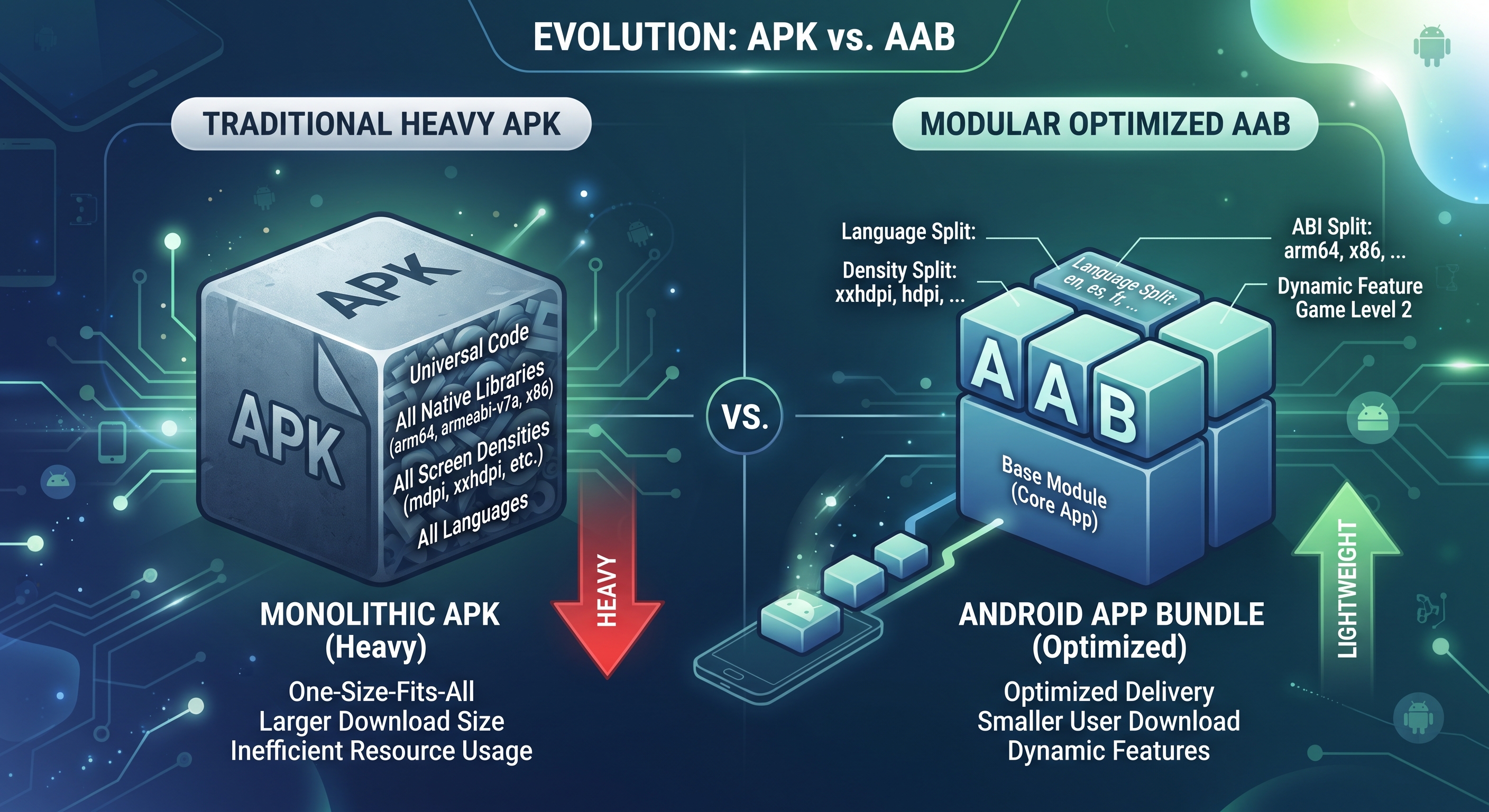
An APK (Android Package) has been the traditional file format used to distribute and install applications on the Android operating system for over a decade.
How APKs Operate
- Monolithic Structure: An APK contains all compiled code, assets, native libraries, and resource files for every possible device architecture and screen density inside a single file.
- The Download Overhead: When a user downloads an APK, their device downloads every single resource—even those meant for different processor types or languages that the device will never utilize.
Understanding AAB (Android App Bundle)
Introduced by Google, the Android App Bundle (.aab) is the publishing format that includes all your app’s compiled code and resources, deferring APK generation and signing to Google Play.
Dynamic Delivery and Optimization
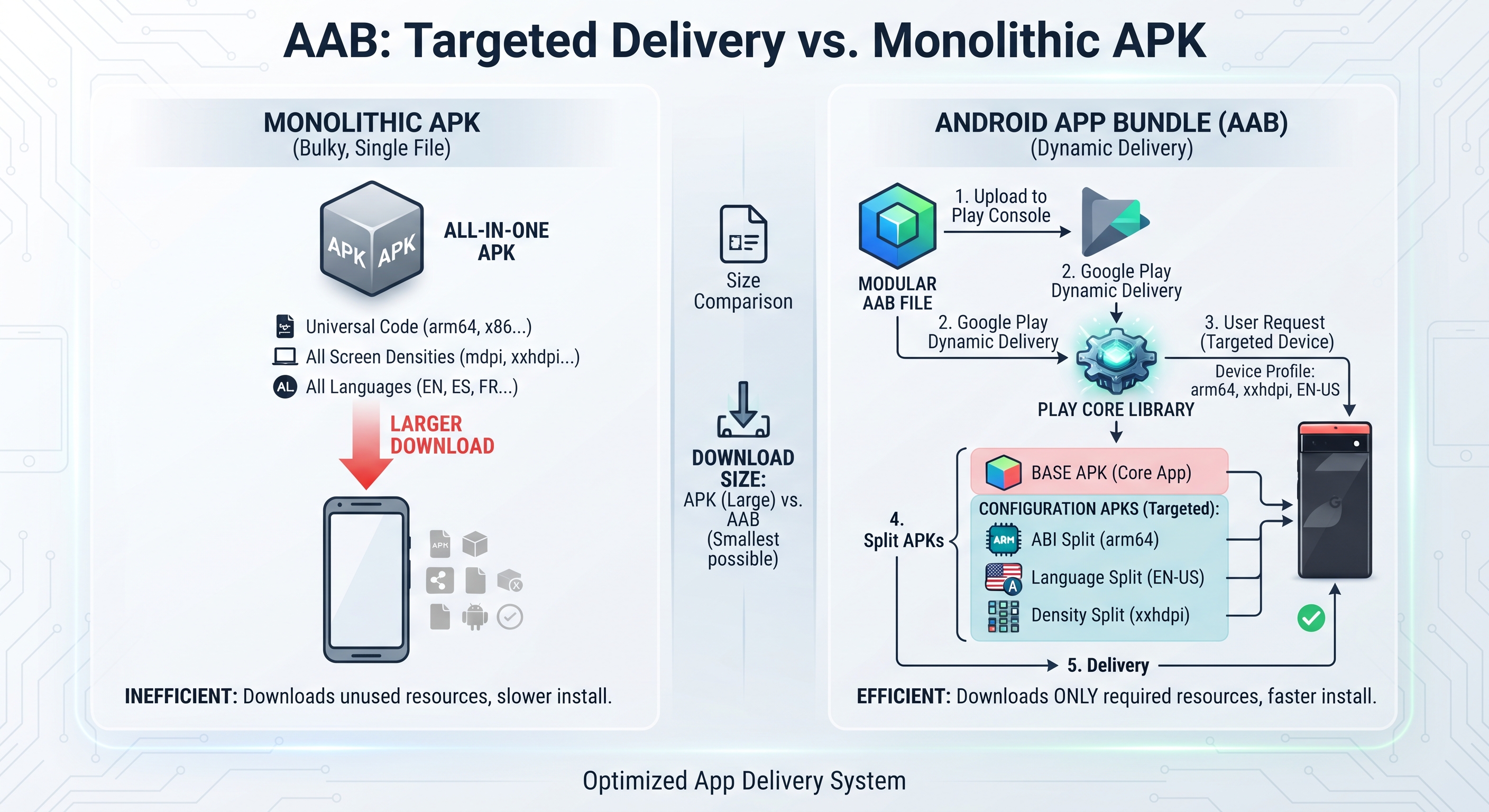
- Split APKs: When you upload an AAB to the Play Console, Google Play uses it to generate optimized APKs tailored specifically to each user’s unique device configuration.
- Reduced Download Sizes: Users only download the specific configuration, language splits, and architecture code required for their hardware, drastically decreasing initial installation sizes.
Which One Does the Play Store Want?
For all new applications published on the Google Play Store, the answer is strictly the Android App Bundle (AAB).
Google made App Bundles mandatory for new apps to optimize storage consumption globally. While traditional APKs can still be generated for local testing, debugging, or sideloading via terminals using commands like flutter build apk, the Play Console will reject APK submissions for new listings.
Generating Your Formats in Flutter
Flutter provides native command-line support for building both formats seamlessly:
Building for Production (AAB)
To generate the required bundle for store submission, run:

Building for Testing (APK)
If you need a standalone file for direct device testing or distribution outside the store, run:

Conclusion: Streamlining Your Android Deployments
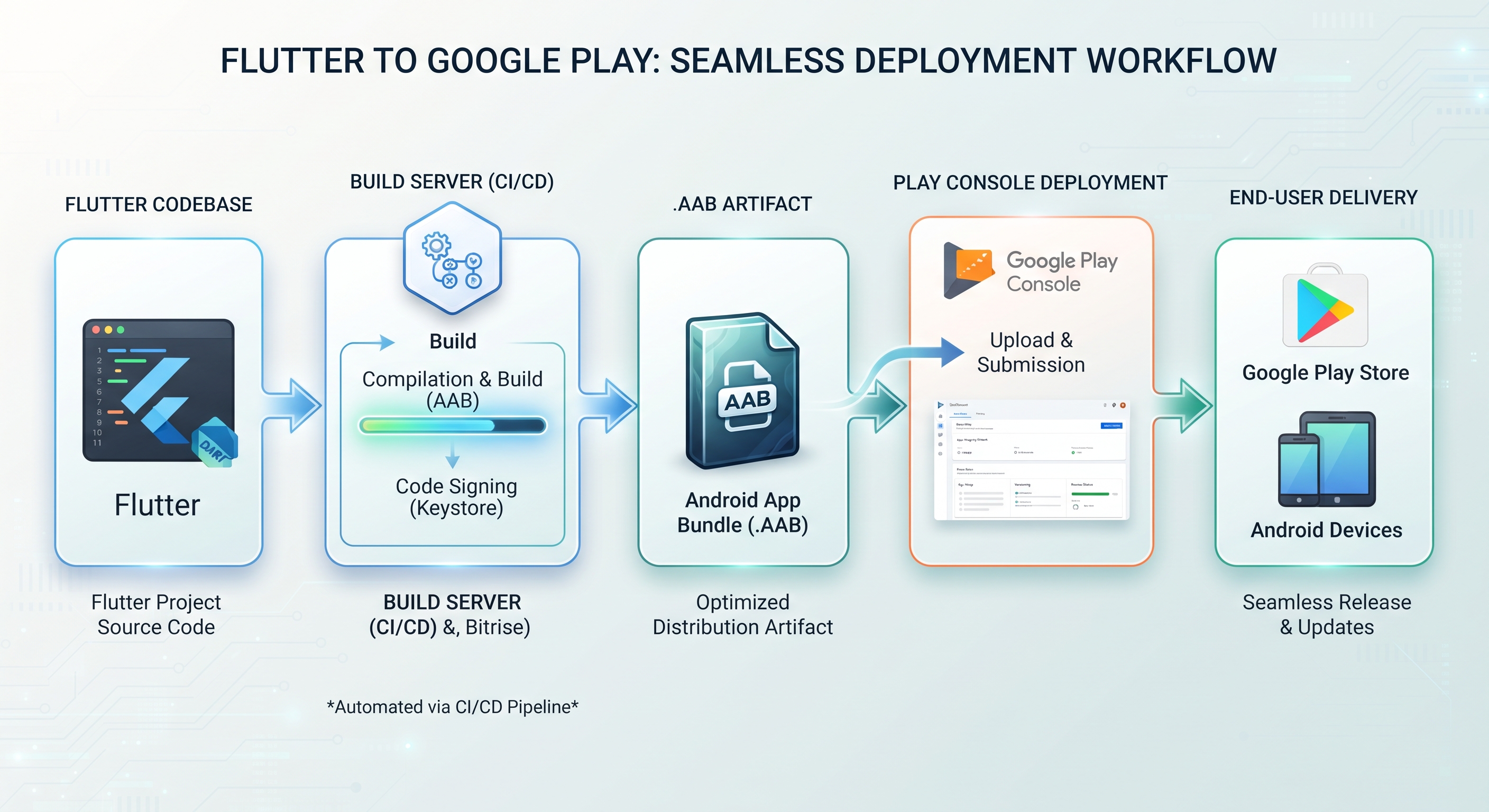
Comprehending the distinctions between aab vs apk flutter builds ensures your release pipeline remains compliant with modern store mandates. By leveraging AABs, you ensure smaller download sizes and higher installation conversion rates. To further simplify your release cycles, modern platforms likeFlutterGo AIcan automate your build pipelines from source code to final deployment.