
Flutter CI/CD With No Mac in the Loop
Learn how to easily set up flutter ci cd without mac to build, test, and ship iOS apps directly from a Windows or Linux machine using automated cloud pipelines.
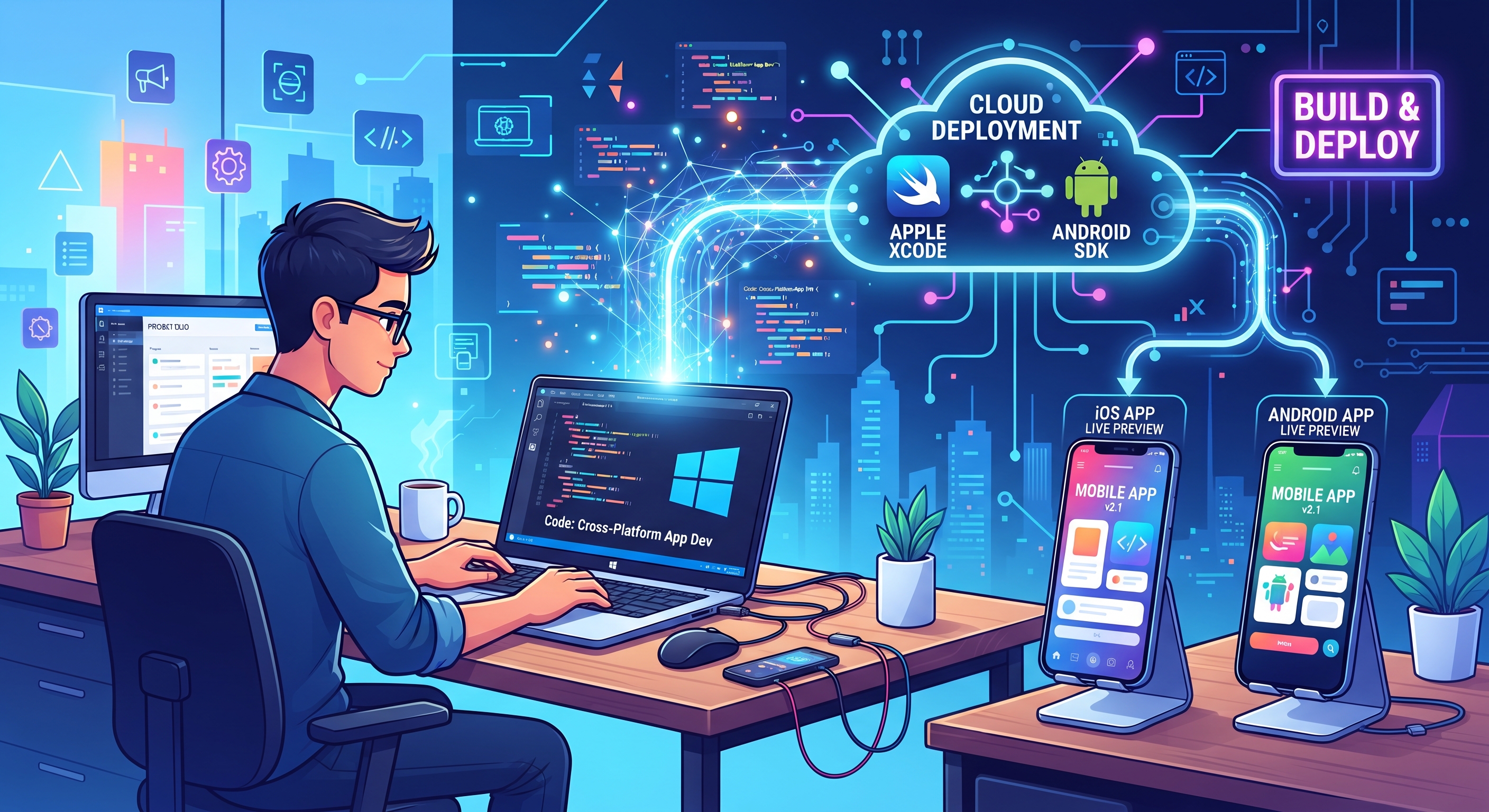
If you are a developer using a Windows or Linux machine, cross-platform development with Flutter feels like a superpower—until it’s time to ship for iOS. Suddenly, you hit the ultimate hardware wall: Apple’s strict requirement for macOS and Xcode to compile, sign, and distribute apps.
Forcing your team to buy expensive MacBooks just for builds—or wrestling with flaky local hackintoshes—kills productivity. The good news? You can completely automate your pipeline and achieve a smooth flutter ci cd without mac workflow using cloud-hosted infrastructure.
Why the Mac Dependency Slows Down Teams
Flutter lets you write a single codebase for Android, iOS, web, and desktop. However, native toolchains remain platform-bound:
- Android builds use Gradle and the Android SDK, which run anywhere.
- iOS builds require Xcode, Apple command-line tools, and strict codesigning utilities that only run on macOS.
The Hidden Costs of Local Apple Hardware
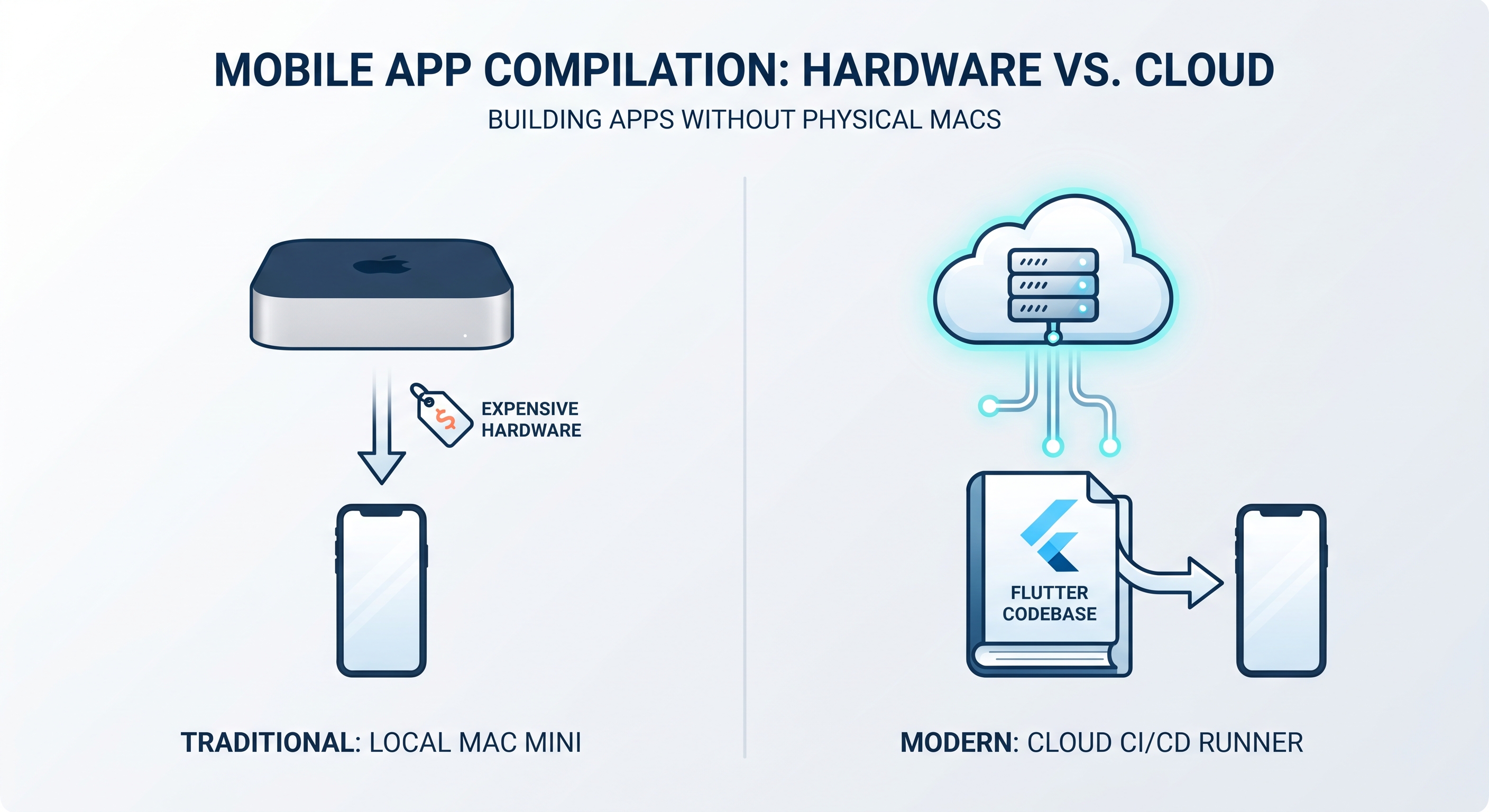
Renting dedicated physical Mac mini servers or buying local hardware introduces high maintenance overhead, idle costs, and scaling bottlenecks. For teams building production-ready mobile apps, maintaining physical hardware locally defeats the agility of modern multi-platform frameworks.
The Modern Solution: Cloud-Native CI/CD
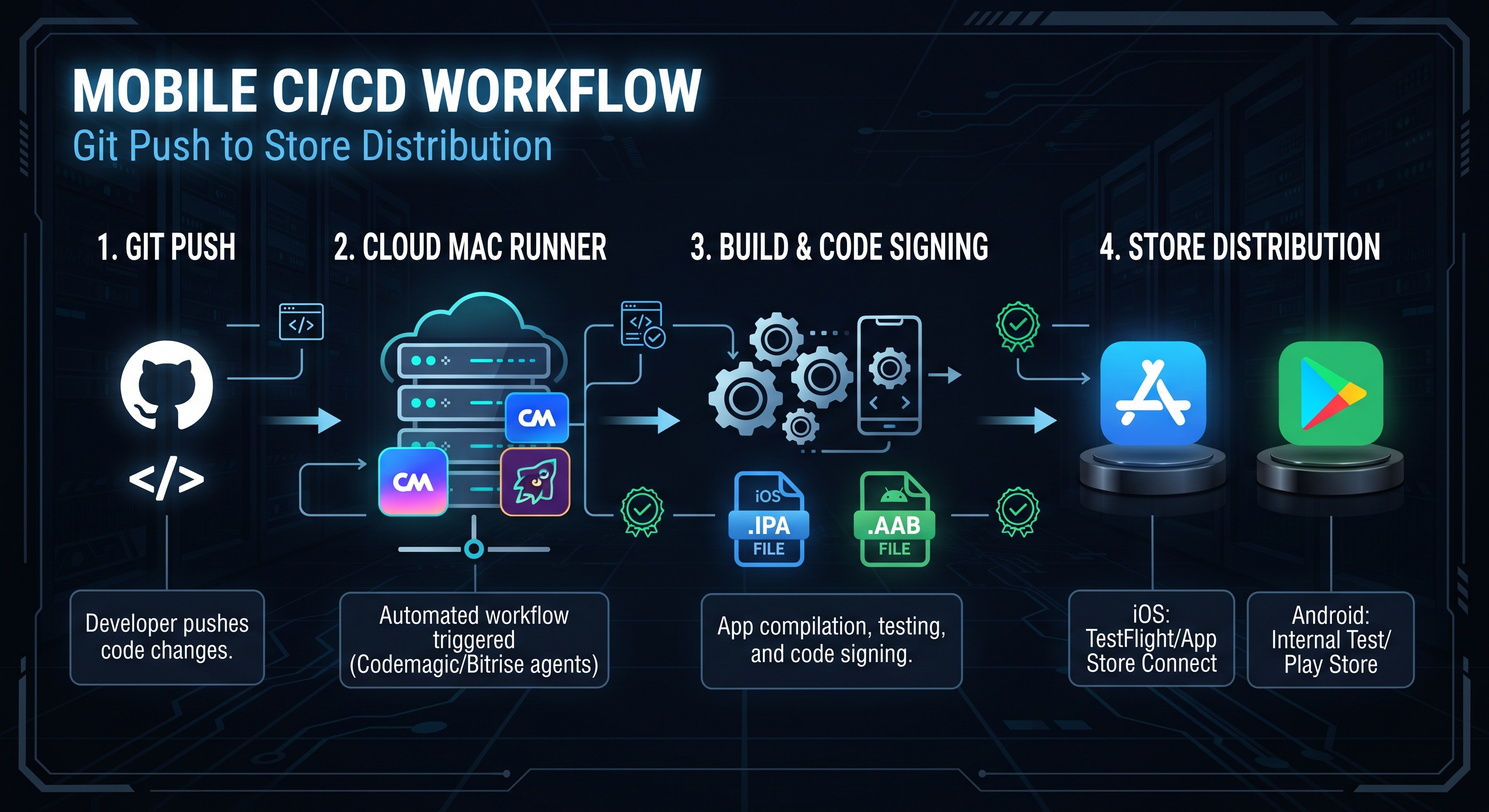
Instead of keeping physical Apple hardware on your desk, modern cloud CI/CD platforms spin up macOS virtual machines on-demand the exact second you push code to your version control.
Platforms built for mobile development—likeCodemagicandBitrise—come pre-loaded with multiple versions of Xcode, CocoaPods, and the Flutter SDK.
Step-by-Step: Setting Up Your Pipeline
- Push to Version Control: Keep your repository clean with your
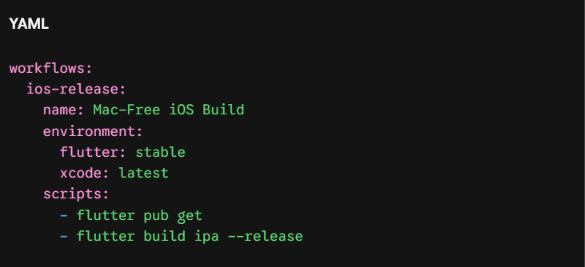
pubspec.yaml, platform folders (ios/,android/), and assets properly tracked. - Configure Your Build Script: Use a configuration file (like a
codemagic.yaml) in your repository root to define your iOS workflow:
- Handle Apple Signing Securely: Store your distribution certificate (
.p12) and provisioning profile securely inside your CI provider's encrypted environment variables. The build runner unlocks them automatically during compilation. - Automate Store Delivery: Route your build artifacts directly toApple TestFlightand theGoogle Play Consolewithout ever touching a physical screen.
Scale Your Development Without Hardware Limits
Moving your pipelines to the cloud transforms how solo developers and agile teams operate. By eliminating local machine restrictions, Windows and Linux developers can push production-ready updates to both mobile stores effortlessly.
Accelerating Time-to-Market with AI
Combine this cloud automation with modern tools likeFlutterGo AI, and you can go from prompting an app idea to shipping a production-ready package entirely from your preferred OS—keeping your focus where it belongs: writing great code.