Apple Guideline 2.5.19: Feature Flags, Remote Config and Code Push
Apple's Guideline 2.5.19 bans features App Review can't see. What it means for Flutter feature flags, remote config and code push, plus a tested Dart check.
Apple's new Guideline 2.5.19 doesn't ban feature flags, remote config or code push. It bans features App Review couldn't see. The rule, added on 16 October 2026, says: "Don't include any hidden, dormant, or undocumented features in your app; your app's functionality should be clear to end users and App Review." For a Flutter team, that becomes one question per remote switch: was the feature behind it in the reviewed build, and could the reviewer reach it? If yes, rollouts, A/B tests and kill switches are normal operations. If the feature only appears after approval, you're in the territory Apple is now spelling out. We quote the rules that apply, then give you a review-visible test for your flags and a small Dart registry that fails the build when an off-by-default feature has no App Review note.
Not legal advice. This is our reading of Apple's published text as of 25 October 2026. App Review makes the final call on your app.
What Apple changed on 16 October 2026
Apple's release notes for the update describe it in one line: "2.5.19: New guideline clarifies long-standing policy on hidden, dormant, or undocumented features, formerly covered in Guideline 2.3.1." The full text of 2.5.19, in section 2.5 (Software Requirements) of the App Review Guidelines, reads:
"Don't include any hidden, dormant, or undocumented features in your app; your app's functionality should be clear to end users and App Review. Attempting to hide undocumented features in your app binary, such as through code obfuscation or other methods, is grounds for removal of your app from the App Store and termination of your developer account."
Guideline 2.3.1 keeps the documentation half of the old rule. Part (a) still says: "All new features, functionality, and product changes must be described with specificity in the Notes for Review section of App Store Connect (generic descriptions will be rejected) and accessible for review."
A second Apple post, on nonconsensual intimate imagery and bait-and-switch apps, explains the intent. It says 2.5.19 "clarifies our longstanding prohibition on apps misrepresenting what they do during the App Review process and then changing after approval — for example, adding features or functionality that weren't included in the version of the app that was submitted to App Review." Apps that do this "are subject to removal from the App Store and removal from the Apple Developer Program."
The post also gives Apple's enforcement figures: "Last year, we prevented over 150K apps with safety issues from reaching customers and terminated over 193K developer accounts for engaging in fraud and abuse." It links them to actors "working to conceal harmful content that only becomes active once an app is approved."
Other changes landed the same day. Guideline 1.2 now explicitly covers nonconsensual intimate imagery, "including imagery generated using AI tools," new Guideline 2.3.14 covers creative assets on the App Store, and 3.1.1(a) and section 5 were clarified. None of them changes how you ship code.
The older rules 2.5.19 sits next to
Three other texts already deal with apps that change after review.
Guideline 2.5.2 says apps may not "download, install, or execute code which introduces or changes features or functionality of the app, including other apps."
The Apple Developer Program License Agreement, section 3.3.1(B) "Executable Code", is where interpreted code is allowed. The current agreement (updated 13 October 2026) says: "Interpreted code may be downloaded to an Application but only so long as such code: (a) does not change the primary purpose of the Application by providing features or functionality that are inconsistent with the intended and advertised purpose of the Application." Its other two conditions are about not bypassing OS security and not creating a storefront for other apps.
Guideline 4.7 lets apps offer "HTML5 and JavaScript mini apps and mini games, streaming games, chatbots, and plug-ins" that aren't embedded in the binary, and adds: "You are responsible for all such software offered in your app."
Our reading is that Apple accepts that apps change after review through content, configuration, interpreted code and 4.7 software. What it doesn't accept is using any of them to show App Review one app and users another. 2.5.19 now names that outcome directly.
The review-visible test for every remote switch
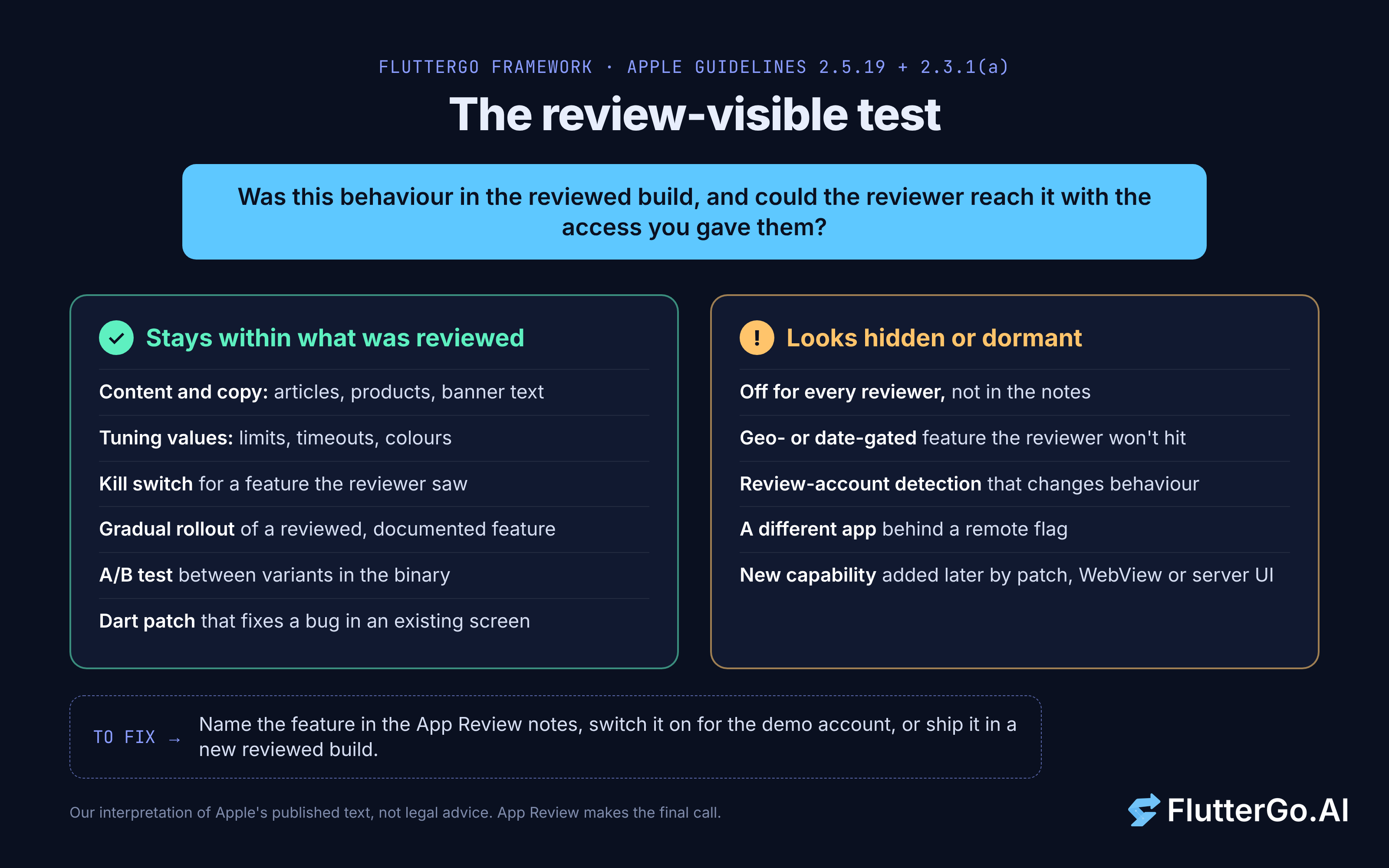
For each flag, remote config value, server-driven screen or patch, ask: was this behaviour in the reviewed build, and could the reviewer reach it with the access we gave them? That's our framework, not Apple's wording, but it follows the guideline text: "clear to end users and App Review" and "accessible for review."
Changes that stay within what was reviewed
- Content and copy: new articles, products, banner text, onboarding wording.
- Tuning values: limits, timeouts, retry counts, colours, sort orders.
- Kill switches: turning off a feature the reviewer saw because it crashes or a backend is down.
- Gradual rollout of a reviewed feature: it was in the build and in the review notes, and you widen it from 5% to 100% after approval.
- A/B tests between reviewed variants: both variants are in the binary and described in the notes.
- Dart patches that fix bugs: correcting a calculation, a crash or an overflow in a screen that was already there.
Patterns that look like hidden or dormant features
- Off for every reviewer: the code ships behind a flag that defaults to off, the notes don't mention it, and you switch it on after approval.
- Geo- or date-gated features the reviewer won't hit, with nothing in the notes.
- Review-account detection: the app spots demo credentials or a TestFlight install and behaves differently.
- A different app behind a flag: a remote value swaps in a product the listing doesn't describe. This is the bait-and-switch pattern in Apple's post.
- New capabilities delivered later: a patch, WebView or server-driven screen that adds a feature category the reviewed app never had, such as payments, chat or image generation.
What separates the two lists is whether the reviewer had a fair chance to see what users will get, not whether a flag is involved.
Remote config, server-driven UI, WebViews and code push
Remote config and A/B tests. Firebase's Remote Config documentation (updated 20 October 2026) suggests using "parameter values as feature flags" for rollouts. Its "Policies and limits" list also says: "Don't attempt to circumvent the requirements of your app's target platform using Remote Config."
Server-driven UI and GenUI. If a server or an AI agent composes screens at runtime, the reviewer sees whatever came back that day. Flutter's GenUI SDK builds screens from your own widget catalog, which gives you a useful boundary: the catalog is in the binary and can be reviewed, even if the arrangement changes. Our explainer on Flutter GenUI covers how the catalog works. In our reading, adding a widget type that unlocks a new kind of feature is closer to a new feature than to new content.
WebView content. Web pages change without review by nature, and 4.7.2 says your app "may not extend or expose native platform APIs or technologies to the software without prior permission from Apple." A JavaScript bridge that hands a page camera or payment access is the risky part. Our Flutter WebView guide shows how to scope those channels.
Dart code push. Shorebird patches the Dart code of a released Flutter app. Its FAQ says it "uses a custom Dart interpreter to comply with the interpreter-only restriction for updates on iOS," and that "as long as your application is not engaging in deceptive behavior via updates (e.g. changing the purpose of the app via update)," code push "is standard industry practice." It still recommends regular store releases, because stores expect "major new features" to go through review.
One detail is easy to miss. The FAQ quotes an older wording of DPLA 3.3.1(B) that ended clause (a) with "as submitted to the App Store." The agreement we read on 25 October 2026 doesn't contain that phrase. The primary-purpose test is unchanged, and 2.5.19 now carries the "what was submitted" idea.
A flag registry that fails the build when a feature isn't reviewable
We turned the test into a check that runs before each submission. Every remote flag lives in one typed list and declares its default and how its feature was shown to App Review. A script fails when a flag defaults to off without a review note, and otherwise prints the notes to paste into App Store Connect.
// lib/flags.dart
/// How a flagged feature relates to the build you submit to App Review.
enum Review {
  /// On by default, so the reviewer sees it. The flag is a kill switch.
  onByDefault,  /// In the binary but off by default. The review notes say how to reach it.
  inReviewNotes,
  /// Not a feature: copy, limits, colours, timeouts.
  tuning,
}
final class Flag<T extends Object> {
  const Flag(this.key, this.defaultValue, this.review, {this.howToReach});
  final String key;
  final T defaultValue;
  final Review review;
  final String? howToReach;
  /// Falls back to the default when the key is missing or mistyped.
  T read(Map<String, Object?> remote) {
    final value = remote[key];
    return value is T ? value : defaultValue;
  }
}
const List<Flag<Object>> appFlags = [
  Flag<bool>('new_checkout', true, Review.onByDefault),
  Flag<bool>('receipt_scanner', false, Review.inReviewNotes,
      howToReach: 'Sign in with the demo account, open Expenses, '
          'tap + then "Scan receipt". The demo account has it switched on.'),
  Flag<int>('max_upload_mb', 20, Review.tuning),
  Flag<String>('promo_banner_text', '', Review.tuning),
];
List<String> reviewProblems(List<Flag<Object>> flags) {
  final problems = <String>[];
  final seen = <String>{};
  for (final f in flags) {
    if (!seen.add(f.key)) problems.add('${f.key}: duplicate key');
    final note = f.howToReach?.trim() ?? '';
    switch (f.review) {
      case Review.inReviewNotes when note.isEmpty:
        problems.add('${f.key}: off by default but has no App Review note');
      case Review.onByDefault when f.defaultValue != true:
        problems.add('${f.key}: marked onByDefault but defaults to '
            '${f.defaultValue}');
      case Review.tuning when f.defaultValue == false:
        problems.add('${f.key}: a bool that defaults to false is a feature '
            'switch, not tuning');
      default:
        break;
    }
  }
  return problems;
}
String reviewNotes(List<Flag<Object>> flags) => [
      'Features in this build that are off by default:',
      for (final f in flags.where((f) => f.review == Review.inReviewNotes))
        '- ${f.key}: ${f.howToReach}',
    ].join('\n');
/// In-app defaults, e.g. for FirebaseRemoteConfig.setDefaults().
Map<String, Object> defaultsMap(List<Flag<Object>> flags) =>
    {for (final f in flags) f.key: f.defaultValue};
Run the check in CI before the iOS upload:
// bin/check_flags.dart
import 'dart:io';import 'package:review_flags/flags.dart';
void main() {
  final problems = reviewProblems(appFlags);
  if (problems.isNotEmpty) {
    stderr.writeln('Flag check failed:\n${problems.join('\n')}');
    exit(1);
  }
  stdout.writeln(reviewNotes(appFlags));
}
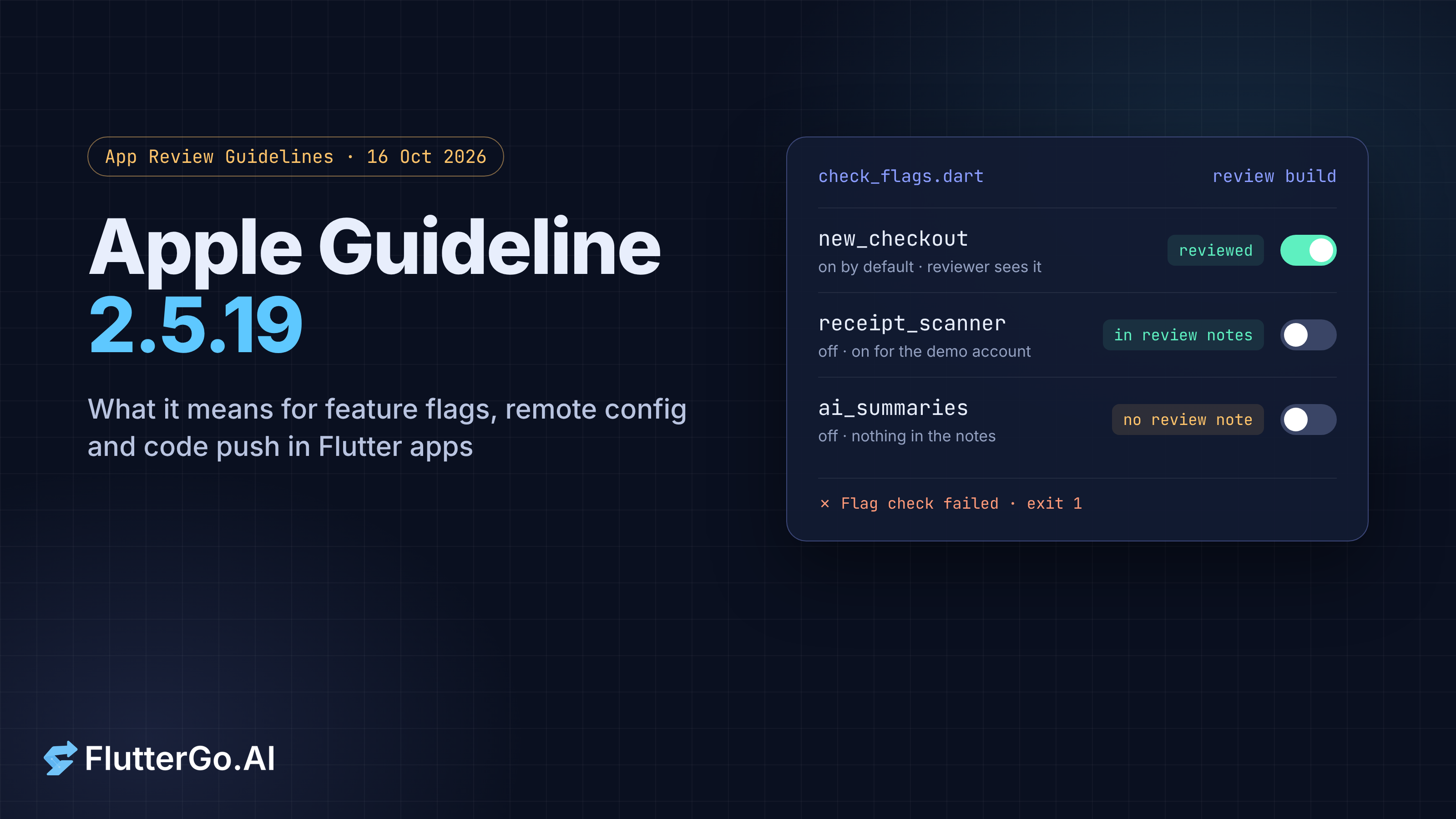
When we added an ai_summaries flag with Review.inReviewNotes and no note, the script printed "ai_summaries: off by default but has no App Review note" and exited with code 1. With the registry as shown, it exits 0 and prints the notes for receipt_scanner. Two choices do most of the work. read() returns the in-app default when a remote value is missing or mistyped, so a bad publish can't switch a feature on. And defaultsMap() feeds the same values to Remote Config's setDefaults(), so the app and the registry can't disagree. The limit is coverage: the check only sees flags in appFlags, so a remote key read anywhere else bypasses it. A code review rule, or a grep in CI for direct Remote Config reads, closes that gap.
Tested: Dart 3.13.7 (stable, 22 October 2026) with package:test 1.31.1, on 25 October 2026. dart analyze --fatal-infos found no issues and 8 of 8 tests passed. We didn't run it inside a Flutter app or against a live Firebase project.
What to put in App Review notes and the demo account
Apple's "Before You Submit" checklist already asks you to "provide either an active demo account or fully-featured demo mode," to "Enable backend services so that they're live and accessible during review," and to "Include detailed explanations of non-obvious features and in-app purchases in the App Review notes." For flagged features, add four habits:
- Name every off-by-default feature and the steps to reach it. The script prints this list.
- Switch flagged features on for the demo account with a Remote Config condition, rather than asking the reviewer to change settings.
- Say what rolls out after approval, for example "receipt scanning, shown in the demo account, will roll out to 10% of users, then everyone."
- Describe dynamic surfaces. If screens come from a server, a GenUI catalog or a WebView, say so and name what they show.
Good notes don't guarantee approval. But 2.3.1(a) says "generic descriptions will be rejected," so specific notes are the minimum. Our post on the App Store rejections we see most covers the other reasons a Flutter build comes back.
Before your next iOS submission
Guideline 2.5.19 names a rule Apple already enforced: the app App Review sees should be the app users get. Flags, staged rollouts, A/B tests and code push all fit, as long as the feature behind each switch was in the reviewed build and reachable by the reviewer. Run the review-visible test on your flags, document every off-by-default feature, and put the check in CI. If you build with AI, read the flags and screens it generated before you submit (see also where AI app builders fail). An AI Flutter app builder like FlutterGo gives you generated Flutter code you can read before you submit.