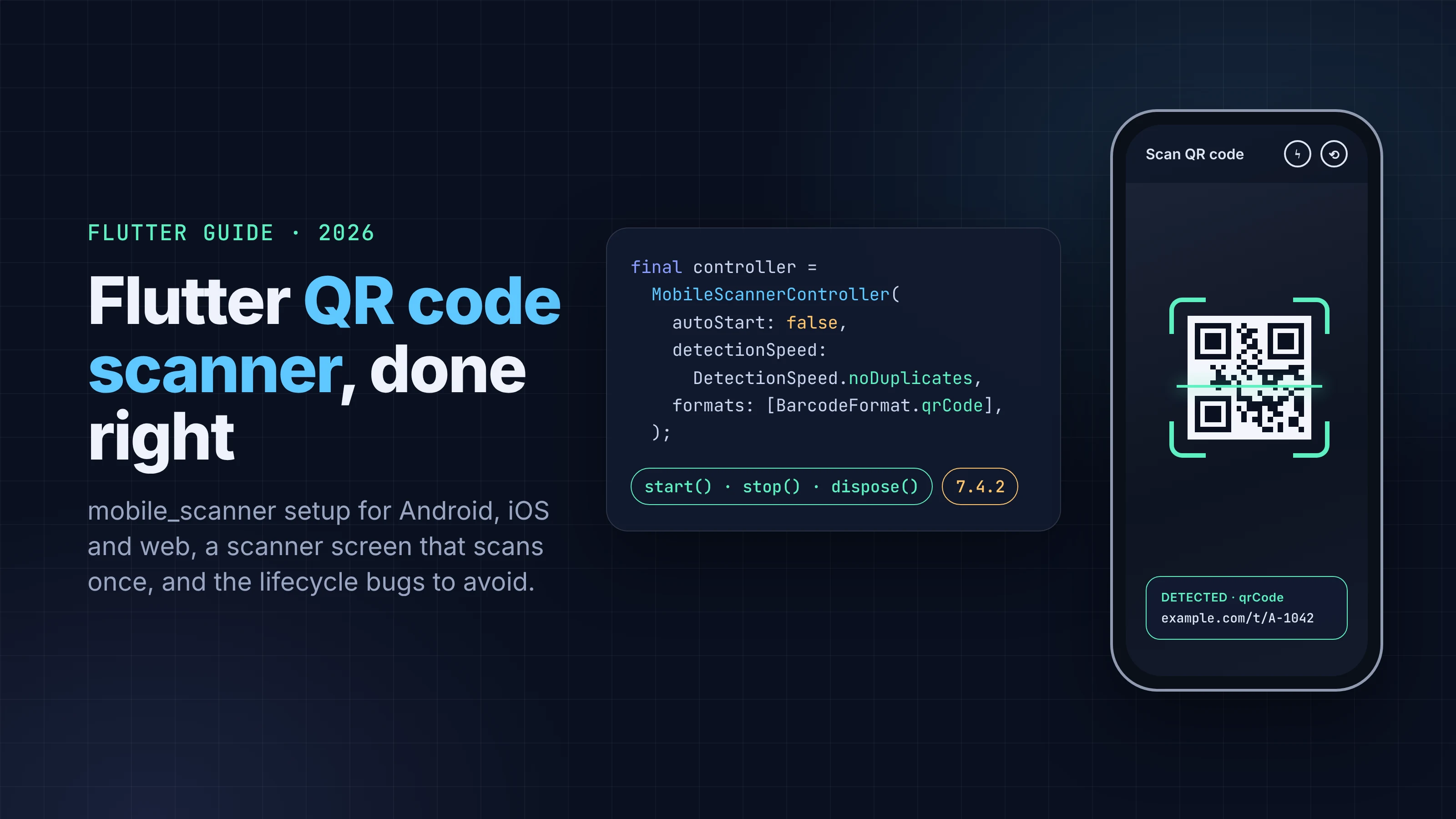
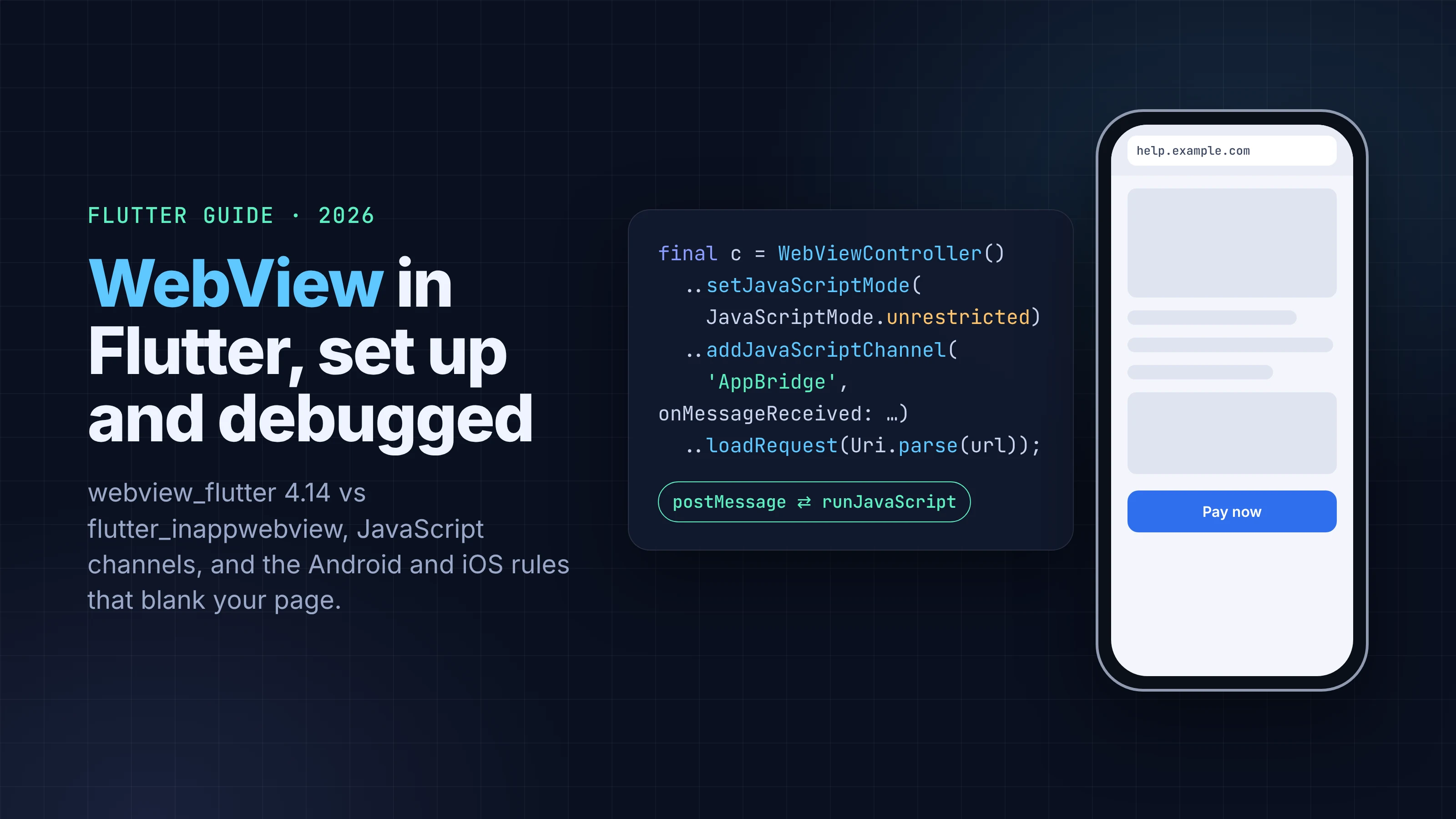
Flutter WebView in 2026: webview_flutter or flutter_inappwebview, Set Up and Debugged
How to add a WebView to a Flutter app in 2026: webview_flutter 4.14 setup, JavaScript channels, debugging, Android and iOS rules, and when to skip it.
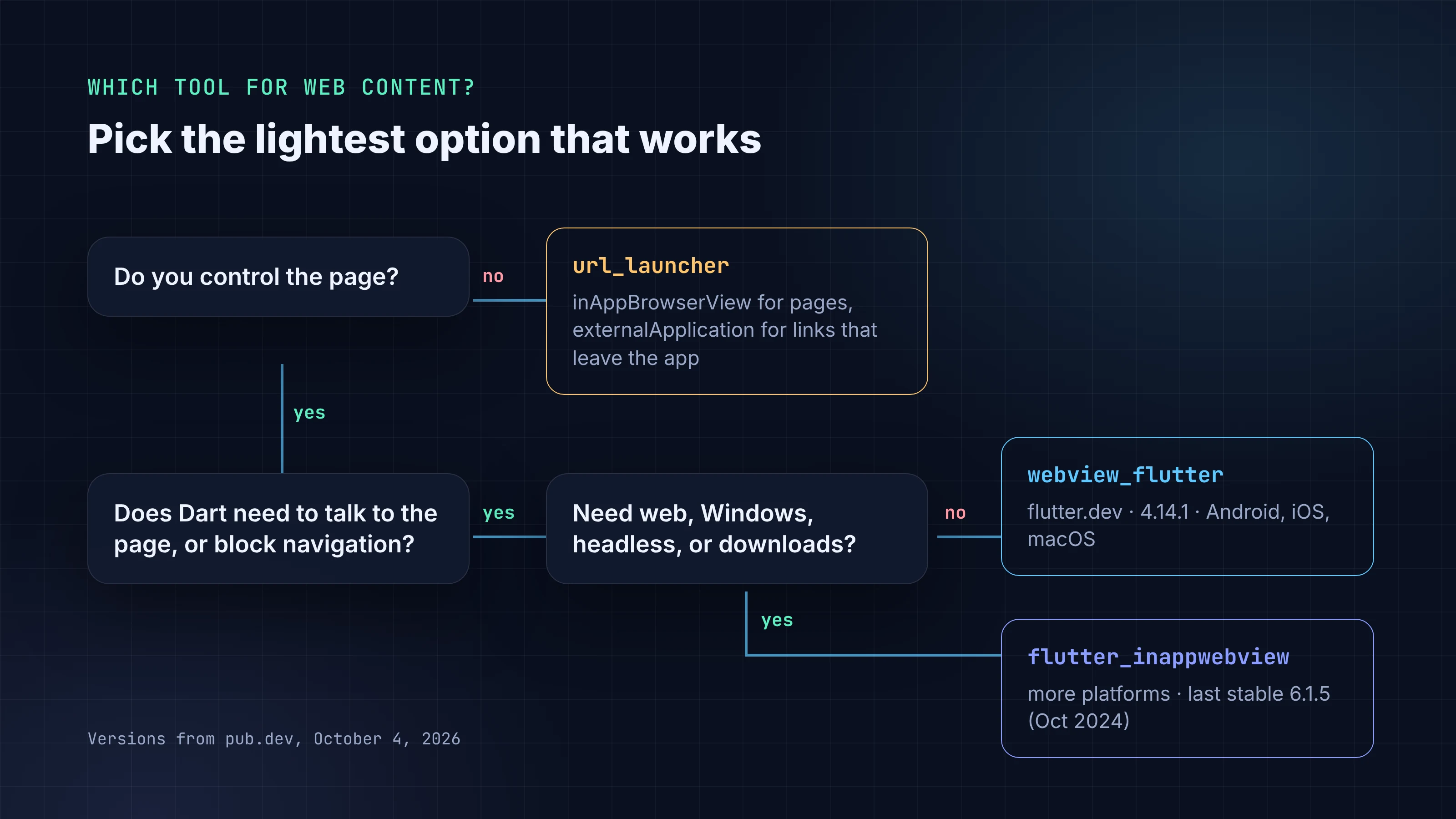
Before you add a WebView, check whether you need one. If you're opening a privacy policy, a help article or a checkout page that lives on someone else's site, an in-app browser tab is simpler and safer. A WebView makes sense when the page is part of your app: you control its content, it needs to talk to your Dart code, or users shouldn't be able to wander off it.
If you do need one, the default choice in 2026 is still webview_flutter, the package maintained by the Flutter team. This guide covers when to pick it over flutter_inappwebview, the setup that actually works on Android and iOS, two-way messaging with JavaScript, and how to debug the page from desktop Chrome and Safari.
Package versions and platform rules below were checked on pub.dev, docs.flutter.dev, developer.android.com and developer.apple.com on October 4, 2026. The Dart snippets follow the package README and API reference; we checked every API name against the docs but didn't compile them in this post, so run flutter analyze on your own project.
Key takeaways
- Use url_launcher with LaunchMode.inAppBrowserView (Custom Tabs / SFSafariViewController) for pages you don't control. Use a WebView only for content that belongs in your app.
- webview_flutter 4.14.1 (flutter.dev, published July 7, 2026) supports Android, iOS and macOS. It doesn't support web, Windows or Linux.
- flutter_inappwebview covers more platforms and features, but its last stable release, 6.1.5, is from October 8, 2024. The 6.2.0 line has been in beta since late 2024.
- Release builds on Android need the INTERNET permission, and cleartext HTTP is blocked by default on Android 9+. iOS applies App Transport Security to web content too.
- Debugging is off by default on both platforms. Turn it on with AndroidWebViewController.enableDebugging(true) and WebKitWebViewController.setInspectable(true) in debug builds.
WebView, in-app browser, or a link out?
| What you're showing | Best tool | Why |
|---|---|---|
| A page on a site you don't control (docs, terms, a partner's checkout) | url_launcher with LaunchMode.inAppBrowserView |
Opens Android Custom Tabs or SFSafariViewController: the system browser's UI and security, with nothing for you to configure |
| A link that should leave the app (maps, email, another app) | url_launcher with LaunchMode.externalApplication |
Hands the URL to the OS |
| Your own web content inside a screen, with Dart talking to the page | webview_flutter |
Full control over navigation, JavaScript and cookies |
WebView features webview_flutter lacks, or Windows/web support |
flutter_inappwebview |
Wider platform and feature coverage, slower release cadence |
The url_launcher docs describe inAppBrowserView as loading the URL "in an in-app web view (e.g., Android Custom Tabs, SFSafariViewController)". The page runs in the system browser's engine and process, not in a view your app has to configure.
One more reason to think twice: Apple's App Store Review Guideline 4.2 says an app "should include features, content, and UI that elevate it beyond a repackaged website." A Flutter shell around a single WebView pointed at your marketing site is the textbook rejection.
webview_flutter vs flutter_inappwebview in 2026
| webview_flutter | flutter_inappwebview | |
|---|---|---|
| Publisher | flutter.dev (verified) | inappwebview.dev (verified) |
| Latest stable | 4.14.1, July 7, 2026 | 6.1.5, October 8, 2024 |
| Latest prerelease | (none) | 6.2.0-beta.3, February 4, 2026 |
| Platforms | Android (SDK 24+), iOS 13+, macOS 10.15+ | Android, iOS, macOS, web, Windows (Linux added in the 6.2.0 beta) |
| Requires | Dart ^3.10, Flutter 3.38+ | Dart ^3.5, Flutter 3.24+ (6.1.5) |
| Extras | Cookie manager with getCookies (new in 4.14.0), console messages, scroll APIs, platform-specific APIs through webview_flutter_android and webview_flutter_wkwebview |
Headless WebView, InAppBrowser, ChromeSafariBrowser, download handling, user scripts, permission requests |
Versions and dates from pub.dev on October 4, 2026.
Our default is webview_flutter. It's maintained alongside Flutter, it moves with Flutter's SDK floor, and the platform packages expose the native switches you need (debugging, media playback, file choosers on Android). Reach for flutter_inappwebview when you need something it can't do, such as a headless WebView, Windows or web support, or download events, and budget for the fact that its stable line hasn't shipped in two years. If you adopt the 6.2.0 beta, pin the exact version.
Set up webview_flutter
Add the package:
dependencies:
  webview_flutter: ^4.14.1
Then add the platform pieces most people forget.
Android. WebView needs the INTERNET permission. Flutter's Android docs note that the standard template "doesn't include this tag but allows Internet access during development", so the page loads in debug and goes blank in your release build. Add it to android/app/src/main/AndroidManifest.xml:
<uses-permission android:name="android.permission.INTERNET" />
If the page is plain http://, it won't load either: "Starting with Android 9 (API level 28), cleartext support is disabled by default." Move it to HTTPS. If you can't, allow that one domain in a network security config rather than enabling cleartext everywhere. The older android:usesCleartextTraffic flag is ignored when a network security config is present, and Android's docs say it will be ignored for apps targeting API 38 and above.
iOS. App Transport Security requires HTTPS for web content too. Apple provides NSAllowsArbitraryLoadsInWebContent to exempt WKWebView only, but if you set it to YES you "must supply a justification during App Store review". As on Android, fix the server first.
Load a page and control navigation
Since version 4.0, a WebView is two objects: a WebViewController you create and configure, and a WebViewWidget that displays it. The README notes the controller "must be instantiated and can be used before it is added to the widget tree."
import 'package:flutter/material.dart';
import 'package:url_launcher/url_launcher.dart';
import 'package:webview_flutter/webview_flutter.dart';

class HelpCenterPage extends StatefulWidget {
  const HelpCenterPage({super.key});

  @override
  State<HelpCenterPage> createState() => _HelpCenterPageState();
}

class _HelpCenterPageState extends State<HelpCenterPage> {
  late final WebViewController _controller;
  int _progress = 0;

  @override
  void initState() {
    super.initState();
    _controller = WebViewController()
      ..setJavaScriptMode(JavaScriptMode.unrestricted)
      ..setNavigationDelegate(
        NavigationDelegate(
          onProgress: (p) => setState(() => _progress = p),
          onNavigationRequest: (request) {
            final uri = Uri.parse(request.url);
            if (uri.host == 'help.example.com') {
              return NavigationDecision.navigate;
            }
            // Everything else leaves the WebView.
            launchUrl(uri, mode: LaunchMode.externalApplication);
            return NavigationDecision.prevent;
          },
          onHttpError: (error) =>
              debugPrint('HTTP ${error.response?.statusCode}'),
          onWebResourceError: (error) {
            if (error.isForMainFrame ?? true) {
              debugPrint('Load failed: ${error.description}');
            }
          },
        ),
      )
      ..loadRequest(Uri.parse('https://help.example.com'));
  }

  @override
  Widget build(BuildContext context) {
    return Scaffold(
      appBar: AppBar(title: const Text('Help')),
      body: Column(
        children: [
          if (_progress < 100) LinearProgressIndicator(value: _progress / 100),
          Expanded(child: WebViewWidget(controller: _controller)),
        ],
      ),
    );
  }
}
Three details in that snippet are worth copying:
- Allow-list your own host in
onNavigationRequestand send everything else out withurl_launcher. Without it, any link on your page turns your app into a general-purpose browser. - Filter errors to the main frame.
onWebResourceErroralso fires for failed subresources like a blocked analytics script. The README says to "Use theWebResourceError.isForMainFramefield to filter errors." - Handle HTTP errors separately.
onHttpErroris "Invoked when an HTTP error response is received", such as a 404 or 500, so you can show your own error state.
To make the Android back button go back inside the page before leaving the screen, wrap the page in PopScope and call _controller.canGoBack() and _controller.goBack().
Talk to the page: JavaScript channels
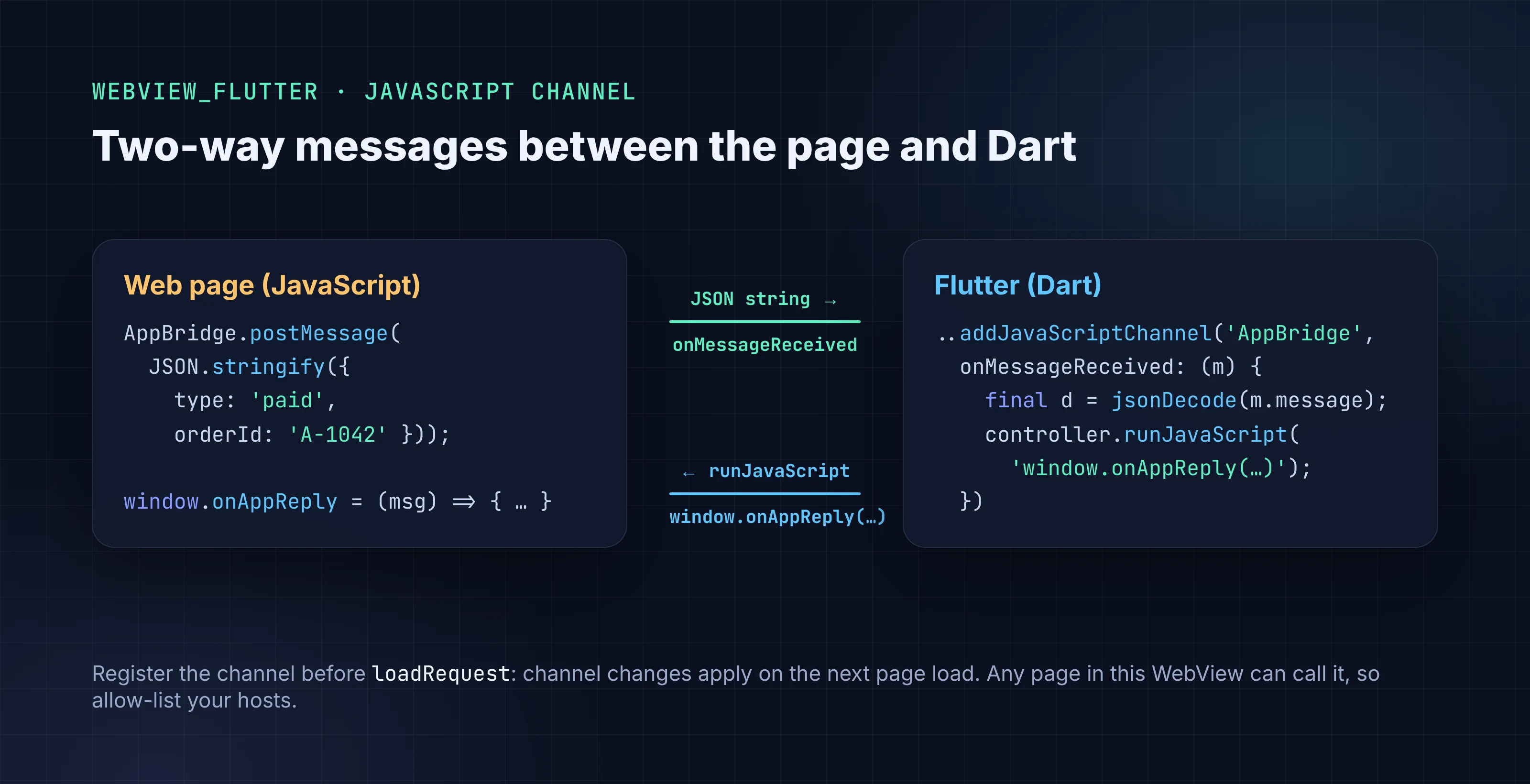
A JavaScript channel puts a named object on window that the page can call. The docs: "The JavaScript code can then call postMessage on that object to send a message that will be passed to onMessageReceived." Going the other way, runJavaScript runs code in the page.
import 'dart:convert';
import 'package:webview_flutter/webview_flutter.dart';

WebViewController buildCheckoutController(void Function(String orderId) onPaid) {
  late final WebViewController controller;
  controller = WebViewController()
    ..setJavaScriptMode(JavaScriptMode.unrestricted)
    ..addJavaScriptChannel(
      'AppBridge',
      onMessageReceived: (JavaScriptMessage message) async {
        final data = jsonDecode(message.message) as Map<String, dynamic>;
        if (data['type'] == 'paid') {
          onPaid(data['orderId'] as String);
          // Reply to the page. jsonEncode escapes the string safely.
          await controller.runJavaScript(
            'window.onAppReply(${jsonEncode('received')})',
          );
        }
      },
    )
    ..loadRequest(Uri.parse('https://shop.example.com/checkout'));
  return controller;
}
On the page:
AppBridge.postMessage(JSON.stringify({ type: 'paid', orderId: 'A-1042' }));
Rules that save debugging time:
- Register channels before loading. Channel changes apply on the next page load, so add them before
loadRequest. - Send JSON strings.
message.messageis aString. Encode objects on the page and decode them in Dart. - Use
runJavaScriptReturningResultcarefully. It returnsObjectand tries to give you aboolornumwhen it can. On iOS 14+ it fails if the script evaluates toundefinedornull, so return a value explicitly. - Treat the channel as an API. Any page loaded in that WebView can call
AppBridge. That's another reason to block navigation to hosts you don't control.
Debug the page from your desktop browser
Both platforms let you open the WebView in real browser DevTools, but both have it off by default.
import 'package:flutter/foundation.dart';
import 'package:webview_flutter/webview_flutter.dart';
import 'package:webview_flutter_android/webview_flutter_android.dart';
import 'package:webview_flutter_wkwebview/webview_flutter_wkwebview.dart';

Future<void> enableWebDebugging(WebViewController controller) async {
  if (!kDebugMode) return; // keep inspection off in release builds

  final platform = controller.platform;
  if (platform is AndroidWebViewController) {
    await AndroidWebViewController.enableDebugging(true);
  } else if (platform is WebKitWebViewController) {
    await platform.setInspectable(true);
  }

  // Forward console output to the Flutter log on every platform.
  await controller.setOnConsoleMessage(
    (msg) => debugPrint('[web ${msg.level.name}] ${msg.message}'),
  );
}
Add webview_flutter_android and webview_flutter_wkwebview to pubspec.yaml to import the platform classes.
- Android: open
chrome://inspectin desktop Chrome with the device connected. Google's DevTools docs: "The chrome://inspect page displays a list of debug-enabled WebViews on your device." - iOS 16.4+ and macOS 13.3+:
isInspectabledefaults tofalse. Once it's on, select the view from Safari's Develop menu on your Mac.
setOnConsoleMessage is the quick win: console.error calls from the page show up in flutter run output without opening any DevTools.
Performance on Android
On Android, webview_flutter renders through a platform view. The package README says it "uses Texture Layer Hybrid Composition" by default, and you can switch with AndroidWebViewWidgetCreationParams(displayWithHybridComposition: true). Flutter's platform view docs describe the trade-off:
- Texture Layer keeps Flutter's frame rate up, but can be "Janky during quick scrolling" and loses some accessibility features for surface views.
- Hybrid Composition gives full native fidelity and correct accessibility, but "Causes thread merging of raster & platform, which degrades Flutter FPS."
Stay on the default unless you see a specific problem, such as text selection or a video surface misbehaving, and profile on a mid-range device before and after switching. Flutter 3.44 added an experimental Hybrid Composition++ mode for Android 14+ with Impeller on Vulkan. We found nothing in the webview_flutter docs about using it, so we wouldn't plan around it yet.
Common WebView problems and fixes
| Symptom | Likely cause | Fix |
|---|---|---|
| Works in debug, blank page in release (Android) | Missing INTERNET permission |
Add it to the main AndroidManifest.xml |
Cleartext error or blank page for an http:// URL (Android 9+) |
Cleartext traffic is blocked by default | Use HTTPS, or allow that one domain in a network security config |
Blank page on iOS for an http:// URL |
App Transport Security | Use HTTPS. NSAllowsArbitraryLoadsInWebContent needs a review justification |
postMessage is undefined on the page |
Channel added after the page loaded | Call addJavaScriptChannel before loadRequest, or reload |
runJavaScriptReturningResult throws on iOS |
Script returned undefined or null |
Return an explicit value |
<input type="file"> does nothing on Android |
No file chooser handler | Implement AndroidWebViewController.setOnShowFileSelector |
| Login cookie missing on first load | Cookie set after the request | Call WebViewCookieManager().setCookie before loadRequest |
| Custom headers ignored on a POST (Android) | Not supported by loadRequest on Android |
Send the data in the body or use a GET with headers |
Building it with FlutterGo
If you build your app with FlutterGo, the AI Flutter app builder, you can ask for an in-app help center or a hosted checkout screen in plain English. Review the generated screen against this checklist anyway: allow-listed navigation, the manifest permission, HTTPS, and debugging off in release. If the screen asks for camera, location or photo access, our Flutter permissions guide covers that side, and the App Store rejections post covers what reviewers look for in web-heavy apps.
FAQ
Does webview_flutter work on Flutter web?
No. Its endorsed platforms are Android, iOS and macOS. If you need embedded web content on Flutter web, flutter_inappwebview lists web support; test its limits for your page before committing.
Is flutter_inappwebview still maintained? It's active but slow. The last stable release, 6.1.5, came out on October 8, 2024, and 6.2.0 has been in beta since November 2024, with beta 3 on February 4, 2026. Check the package's versions page before you depend on it.
How do I open a link in the user's browser instead of the WebView?
Return NavigationDecision.prevent from onNavigationRequest and call launchUrl(uri, mode: LaunchMode.externalApplication). For an in-app browser tab, use LaunchMode.inAppBrowserView.
Will Apple reject an app that's mostly a WebView? It can. Guideline 4.2 asks for "features, content, and UI that elevate it beyond a repackaged website." Use WebViews for parts of an app, not as the whole app.