Flutter Widget Previews Are Stable. We Pointed Them at an AI-Built App to See What Previews
Flutter 3.47 made Widget Previews stable. What @Preview does, how to start it, the plugin and dart:io limits, and how a real generated app fares.
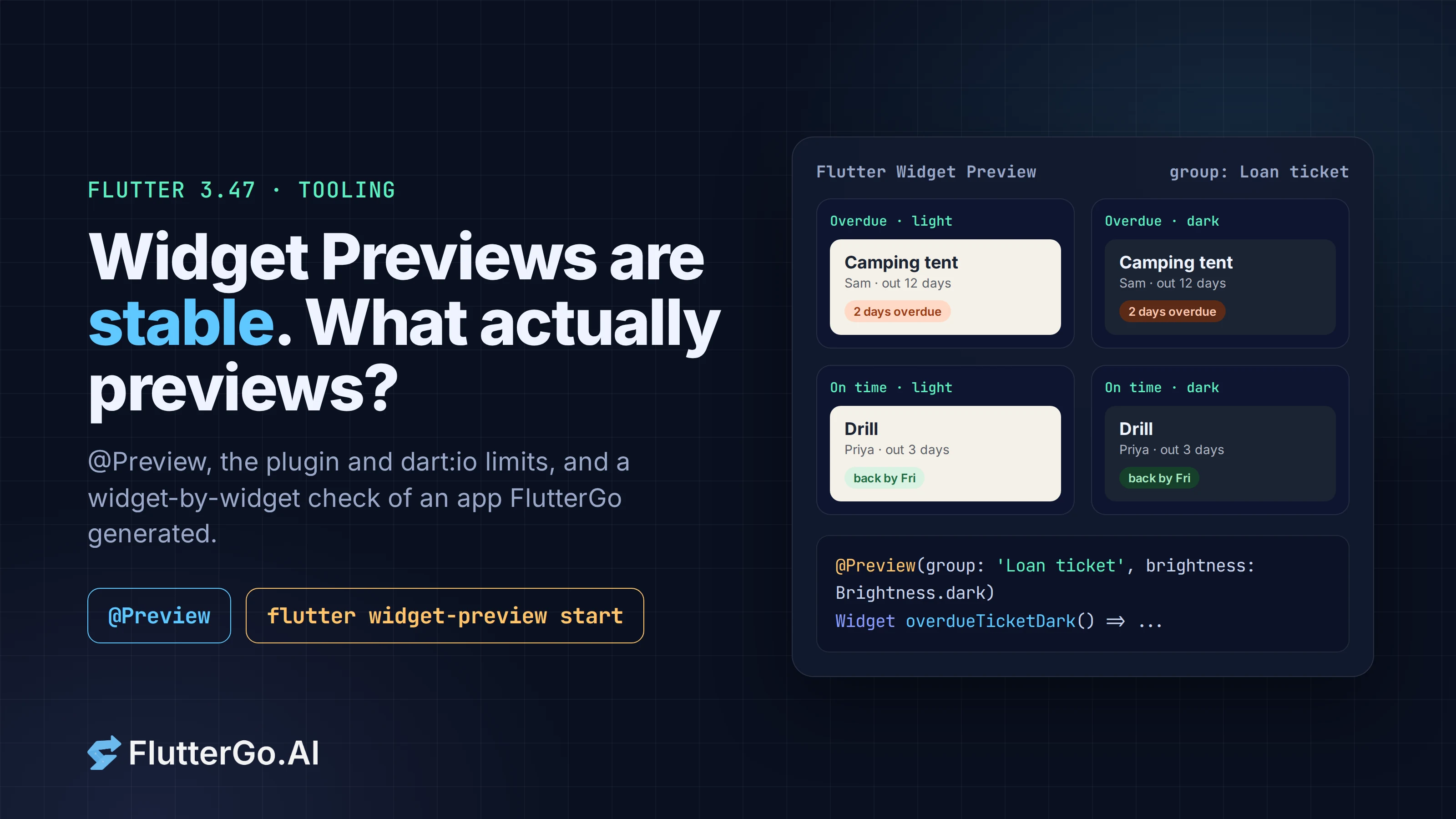
Flutter 3.47, released on August 12, 2026, moved Widget Previews from experimental to stable. You put @Preview on a function that returns a widget, and the previewer renders it on its own, in your IDE or in a browser, without launching the app. Change the code and the preview updates.
That's the promise. The catch is in the docs: the previewer is built with Flutter Web, so anything that touches a native plugin, dart:io or dart:ffi throws when it runs. Most real apps touch at least one of those. So we took an app FlutterGo generated this morning, a lending tracker called Lent, and went through it widget by widget to see what would preview as written, what needs a small wrapper, and what can't preview at all.
Facts below come from the Flutter docs and the 3.47 release post, checked on October 6, 2026. The audit reads the generated source. We didn't run the previewer on it, because our workspaces can't reach pub.dev to fetch dependencies.
Key takeaways
- Widget Previews are stable as of Flutter 3.47. They were introduced as experimental in 3.35.
- Annotate a top-level function, a static method or a public widget constructor with no required arguments with @Preview from package:flutter/widget_previews.dart.
- Start it from the "Flutter Widget Preview" tab in VS Code, Android Studio or IntelliJ, or with flutter widget-preview start.
- The previewer runs on Flutter Web. Native plugins, dart:io and dart:ffi APIs throw when called, and assets need packages/<name>/ paths.
- In Lent, the app FlutterGo generated, nothing imports dart:io or dart:ffi. The small widgets preview with one function each. The five screens that read app state need a wrapper that swaps in sample data. A phone-sized preview of the add screen would have shown the layout bug we found in testing within seconds.
What changed in 3.47
The 3.47 release post says Widget Preview "is now stable" and lists three improvements:
- faster startup, from a local build cache in a
.widget_preview/folder; - an abstract
PreviewThemeDataAPI for theming previews; - automatic syncing of assets from your project's
web/folder when you preview web widgets.
The docs' release notes add real-time search and filtering of previews. The previewer first shipped as an experimental feature in Flutter 3.35.
If you tried it during the experimental phase and gave up because startup was slow, the cache is the change to retest. The first run builds the preview scaffold. Later runs reuse it.
How to start it
In VS Code, Android Studio and IntelliJ, the previewer starts with the IDE. Open the Flutter Widget Preview tab in the sidebar. The IDE integration can filter previews to the file you have selected, which is the setting to turn on once a project has more than a handful.
From a terminal:
flutter widget-preview start
This starts a local server and opens the previews in your browser.
Writing a preview
A preview is an annotation on something that returns a widget:
import 'package:flutter/widget_previews.dart';

@Preview(name: 'Overdue loan', group: 'Loan ticket', size: Size(390, 140))
Widget overdueLoanTicket() => LoanTicket(loan: sampleOverdueLoan, onTap: () {});
You can annotate three kinds of things:
- a top-level function that returns a
WidgetorWidgetBuilder; - a static method that does the same;
- a public widget constructor or factory with no required arguments.
The parameters the docs list for @Preview:
| Parameter | What it does |
|---|---|
name |
Label shown on the preview |
group |
Groups related previews together |
size |
Fixed constraints for the preview |
textScaleFactor |
Renders with a larger or smaller font scale |
wrapper |
Wraps the widget, e.g. to provide state with an InheritedWidget or a provider scope |
theme |
A function returning PreviewThemeData |
brightness |
Starts the preview in light or dark |
localizations |
Applies a localization setup |
Two details from the docs save time. Every callback you pass (wrapper, theme, localizations) must be public and constant, because the previewer generates code that calls it. And an unconstrained widget is squeezed to roughly half the previewer's width and height, so set size on anything that expects a phone-width parent.
To render the same widget several ways, stack annotations or subclass MultiPreview:
@Preview(group: 'Brightness', name: 'Light', brightness: Brightness.light)
@Preview(group: 'Brightness', name: 'Dark', brightness: Brightness.dark)
Widget loanTicketBrightness() => LoanTicket(loan: sampleOverdueLoan, onTap: () {});
If you repeat the same set of options everywhere, the docs show how to extend Preview (or MultiPreview) into your own annotation with a project theme baked in.
What can't be previewed
The limits all come from one design choice: the previewer is a Flutter Web app. From the docs:
- Native plugins don't work. Neither do APIs from
dart:ioordart:ffi. A widget that imports them still loads, but the first call throws. - Assets loaded through
dart:ui'sfromAssetAPIs need package paths:packages/my_app/assets/photo.png, notassets/photo.png. - Previews must live in a single project or Pub workspace.
So a widget previews well when it takes its data as constructor arguments and draws it. It previews badly when it reads its own data: from shared_preferences, a database, the camera, the file system or a platform channel.
We checked an AI-generated app against those rules
Lent is the app from today's tutorial, built in FlutterGo from one prompt. The first build had 50 Dart files and 9,251 lines in lib/. It uses Riverpod for state, shared_preferences to save loans, go_router for navigation and local images for the item and friend photos. We read every file through the studio's file view and sorted the widgets by what a preview would need.
| What we found in the generated code | Count | What a preview needs |
|---|---|---|
| Public widget classes (including the app's motion and UI helpers) | 63 | |
| ...with no required constructor arguments (our count) | 13 | Nothing. Put @Preview on the constructor. |
...that take their data as arguments (e.g. LoanTicket(loan, onTap), AppPhoto(path)) |
most of the rest | A top-level function that passes sample data |
Riverpod consumers (ConsumerWidget / ConsumerStatefulWidget) |
7 | A wrapper with a ProviderScope |
...of which read the saved loans (loanListProvider) |
5 screens | The wrapper must also override the provider with sample loans |
Files importing dart:io or dart:ffi |
0 | |
Files touching shared_preferences directly |
3 (the provider, splash, onboarding) | Keep them out of previews, or override what they feed |
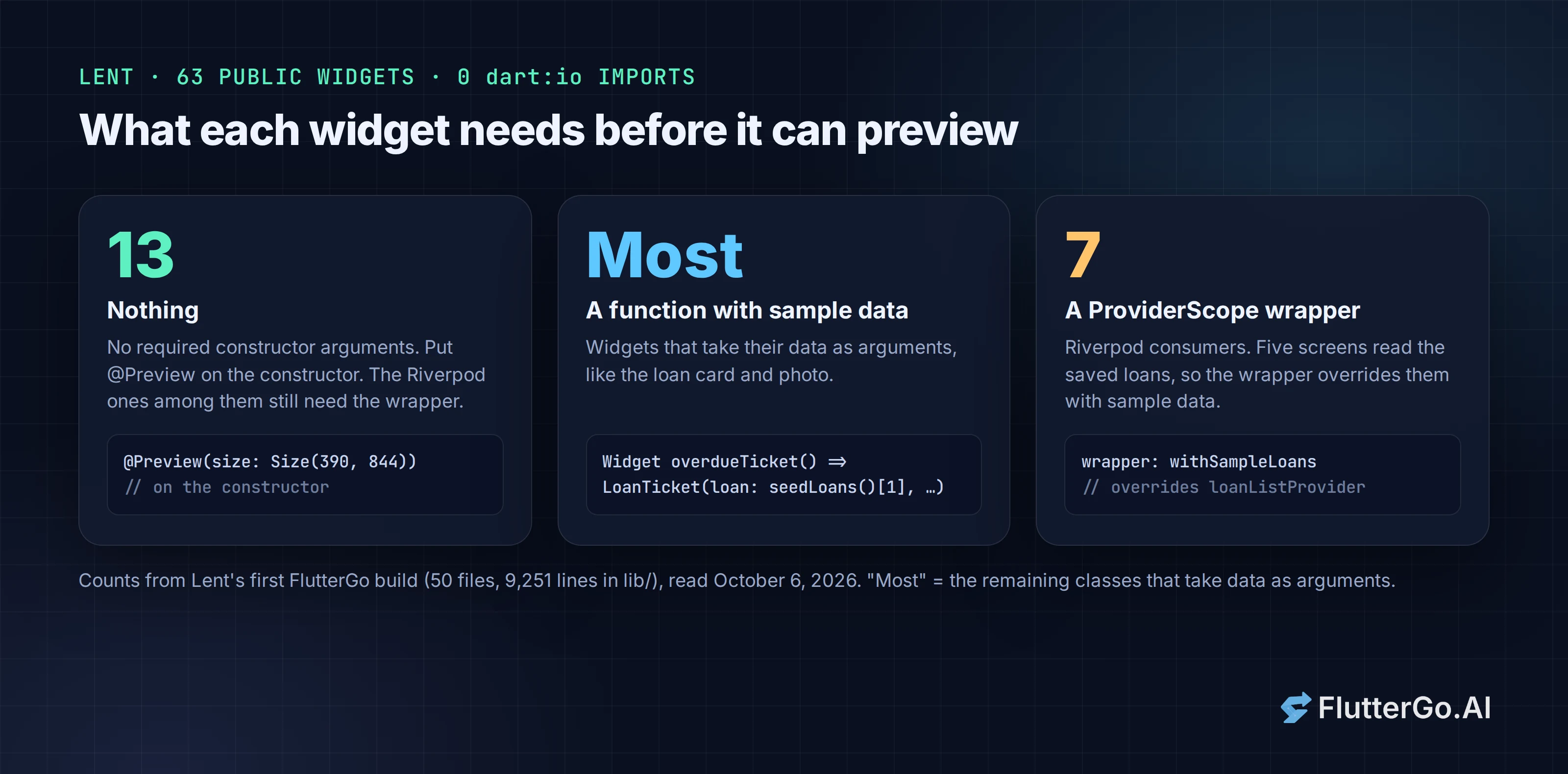
The loan card is the easy case. LoanTicket takes a Loan and a tap callback and imports nothing stateful, so one function with a sample loan is enough:
@Preview(name: 'Overdue', group: 'Loan ticket', size: Size(390, 120))
Widget overdueTicket() => LoanTicket(loan: seedLoans()[1], onTap: () {});
seedLoans() is the sample data FlutterGo already wrote for the first launch, so the preview reuses it instead of inventing new fixtures. The onTap closure lives inside the function body, so the rule that preview callbacks be public and constant doesn't apply to it. That rule covers the arguments you pass to the annotation itself.
The screens are where the work is. HomeScreen, HistoryScreen, PeopleScreen and the two detail screens all watch loanListProvider, and that provider's build() opens SharedPreferences. shared_preferences has a web implementation, so it may not throw in the previewer, but then each preview shows whatever happens to be in the previewer's browser storage. A wrapper that overrides the provider makes every screen render the same sample data each time:
class SampleLoanList extends LoanList {
  @override
  Future<List<Loan>> build() async => seedLoans();
}

Widget withSampleLoans(Widget child) => ProviderScope(
      overrides: [loanListProvider.overrideWith(SampleLoanList.new)],
      child: child,
    );

@Preview(name: 'Out now', size: Size(390, 844), wrapper: withSampleLoans)
Widget homePreview() => const HomeScreen();
withSampleLoans is a public top-level function, which is what the docs require for wrapper. Navigation taps inside a screen preview won't go anywhere, because the preview has no router, but the screen renders.
Two things we'd check on a real run rather than assume:
- Images.
AppPhotoloads pictures withImage.asset('assets/images/...'). The docs' rule about package paths is written for thefromAssetAPIs indart:ui. Asset images go through the same asset system, so expect to switch topackages/lent/...paths if photos come up blank. - Fonts. The theme uses
google_fonts, which downloads fonts at runtime. In a browser-based previewer that should work with a network connection. Offline, text falls back to the default font.
The most useful result was one we didn't expect. In testing, Lent's "Lend something" screen opened blank: the Save button's Center sat in the scaffold's bottomNavigationBar, grew to fill the screen and left the form no height. AddLoanScreen has no required arguments, so @Preview(size: Size(390, 844), wrapper: withSampleLoans) on its constructor would have shown an empty form within seconds of writing the screen. We found it by clicking through the whole app. A preview at phone size would have caught it before anyone opened the app.
What this means if you generate Flutter code
Widget Previews reward the same structure that makes code easy to review: screens that read state at the top and hand plain data to small widgets below. In that kind of codebase the small widgets preview with one annotation each, and the screens need one wrapper that overrides the state with sample data.
If you build with FlutterGo, the AI Flutter app builder, you can ask for that directly: "Add @Preview functions for the main list item widgets, in light and dark, with sample data in a previews.dart file." The generated project is a standard Flutter project, so the previewer runs on it like on any other once you open it in your IDE with Flutter 3.47 or later. In the browser, FlutterGo's own live preview still runs the whole app (how that works). Widget Previews are for the next step: working on one component at a time in your editor.
FAQ
Which Flutter version do I need for stable Widget Previews?
Flutter 3.47 or later. Earlier versions from 3.35 have the experimental previewer, with different APIs and fewer features.
Can a preview use a widget that depends on shared_preferences or another plugin?
It can load, but any call into the plugin throws, because the previewer runs on Flutter Web without your app's native side. Pass sample data in instead, or wrap the widget so its state comes from an in-memory override.
Do previews replace golden tests?
No. A preview is for looking at a widget while you work on it. A golden test fails a build when the pixels change. They work well together: the sample data you write for previews can feed your goldens.
Does the previewer work with Riverpod or Provider?
Yes, through wrapper. Pass a public, constant function that wraps the widget in a ProviderScope or a provider with sample values.
Sources
- Flutter Widget Previewer, docs.flutter.dev, checked October 6, 2026
- What's new in Flutter 3.47, Flutter blog, August 12, 2026
- What's new in the docs, release 3.47 and 3.38 entries
- Lent source code, generated by FlutterGo on October 6, 2026 (project files read through the studio's file API)